Most HR leaders don’t need more content—you need clarity. You need real talk, real-world playbooks, and a place where people actually get what you’re carrying.
What if your next biggest HR win came from one conversation instead of another compliance spiral?
Today, Jumpstart HR officially launches Joey’s HR Lounge—a podcast and community built to be the home for HR innovators and small business owners who want to run people-first, compliance-smart teams without burning out.
“If HR feels lonely right now, you’re not doing it wrong—you just need the right room.”
Press Release + The Real Story: Why We Built Joey’s HR Lounge
HR is a lot. If you’re leading people at a growing business, you’re juggling compliance, hiring, performance, and culture—some of you without a dedicated HR department and definitely without extra hours in the day.
Here’s the thing: the best HR work doesn’t happen in a policy doc. It happens in the conversations you have when you’re trying to make a tough call and you need a second brain.
That’s the story behind Joey’s HR Lounge. Jumpstart HR created it as a practical, people-first space where you can:
Listen to short, high-signal conversations with HR leaders, operators, and innovators
Learn what’s changing (laws, tech, expectations) without the doom-scrolling
Join a community where you can ask questions and get unstuck—fast
“The right community turns HR from a constant pressure into steady confidence.”
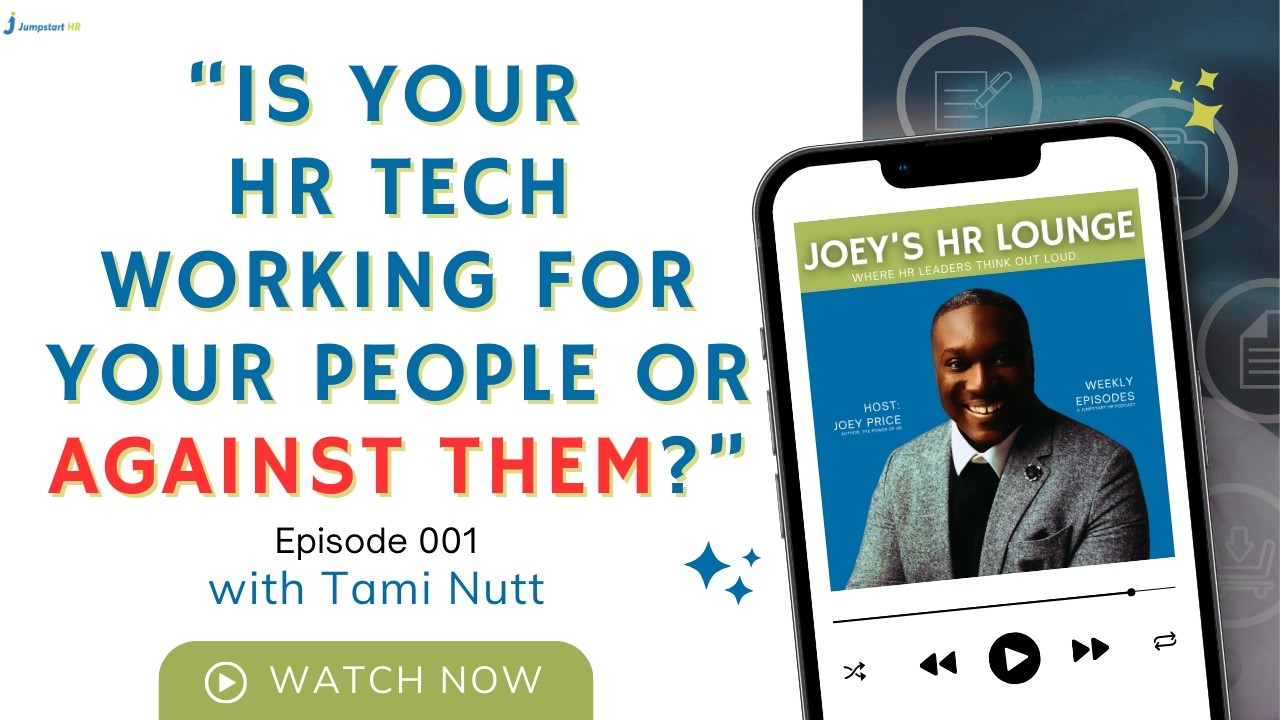
Episode 001 (Launch Episode): Featuring Tami Nutt
We’re kicking things off with Episode 001—and it’s built for the exact moment HR is in right now.
In Episode 001, Joey sits down with Tami Nutt to talk about how compliance, technology, and real-world operations are colliding—and what HR innovators and small business owners should do next.
We get into:
How modern HR teams are shifting from reactive compliance to proactive risk prevention
What “compliance tech” actually means in practice (and where it breaks)
The early wins small businesses can capture faster than big companies
“Compliance doesn’t have to slow you down—it can be the system that keeps growth safe.”
Are You Leading with People or Paperwork?
Let’s face it: the old way of doing things is dead. The “Paperwork HR” era: where we were just the “Department of No”: is being replaced by “People-First Innovation.”
When we talk about HR tech, we’re really talking about freedom. Freedom from manual data entry. Freedom from worrying if you missed a state-specific tax update. Freedom to actually be the leader your team needs.
As a Top 100 HR Tech Influencer, I’ve seen how technology can either empower a workforce or stifle it. If your current systems feel like a ball and chain, it’s time to re-evaluate.
The Difference Technology Makes
With Modern HR Tech: You receive automated alerts for compliance changes, your team can self-serve their benefits, and you have real-time data on employee engagement.
Without Modern HR Tech: You’re manually tracking expiration dates in Excel, fielding 50 emails a day about “where is my paystub,” and making hiring decisions based on “gut feeling” rather than data.
It’s time to work smarter, faster, and fairer.
3 Steps to Audit Your HR Tech Today
You don’t need to replace your entire tech stack overnight. Start small, win big. Here is how you can begin auditing your current systems to see if they are truly “Lounge-approved”:
Identify the Friction: Ask your team, “What is the one thing you hate doing in our current HR system?” If everyone says “logging time” or “requesting PTO,” that’s your first target for innovation.
Prioritize Integration: Does your payroll talk to your performance management? Does your ATS talk to your onboarding? If your tools don’t talk to each other, you’re the one doing the heavy lifting.
Subscribe + Join: Your Fastest Way to Stay Ahead (Without Doing More)
Joey’s HR Lounge isn’t just a podcast feed—it’s a home base for the people building what’s next in HR.
If you’re an HR innovator, founder, manager, or small business owner trying to make smart people decisions under real pressure, this is for you.
Practical answers you can apply this week (not “someday”)
Real-world perspectives from HR tech and HR ops leaders
A place to talk shop—without the posturing
“Your next breakthrough isn’t another tool—it’s a better conversation.”
How Jumpstart HR Supports Your Journey
At Jumpstart HR, we’ve always believed in meeting you where you are. Whether that’s through our HR Answers service for quick wins or our deep-dive consulting into remote team engagement, we are here to provide flexible solutions.
The Lounge is the next evolution of that support. By bringing together experts like Tami Nutt and the collective wisdom of our community, we’re making high-level HR strategy accessible to every startup and small business.
You don’t need a Fortune 500 budget to have Fortune 500 HR. You just need the right community.
Your Invitation (Official): Joey’s HR Lounge Is Open
The Lounge is live. The first episode is out. And the best part? You don’t need to “catch up” before you belong here.
👉 Listen to Episode 001: Start with the Tami Nutt conversation (and drop your biggest question in the community)
Don’t worry: you don’t need perfect processes or a Fortune 500 budget to build a people-first workplace. You just need the right support, the right signal, and a place that keeps it real.
“Start small, stay consistent, and you’ll build HR that actually scales.”
You’ve probably heard the rumors, but as of today, February 26, 2026, it’s official: the Department of Labor (DOL) just shifted the goalposts on how we define “who works for whom.” If you sell HR technology—HRIS, payroll, contractor management, workforce platforms—your roadmap just got a lot more interesting.
Let’s face it: the line between an independent contractor and an employee has always been a bit blurry, especially when your customers are moving fast and managers are improvising. But this new proposed rule aims to clear the fog by returning to a streamlined “economic reality” test.
What if your product could help customers navigate these compliance shifts—without the constant fear of a misclassification lawsuit?
Good news: you don’t need to be a labor attorney to lead here. You just need to understand the new rules of the game—and build clear guardrails, smarter workflows, and better documentation into your platform. No jargon. No fear.
Here’s the thing: as our VP of Research & Insights, Tami Nutt, puts it, “Compliance is my love language.” And she’s right to push that energy into product: HR tech is essential for keeping up with changing laws because it can automate policy updates, standardize workflows, and monitor risk signals before they turn into expensive surprises.
The DOL is essentially hitting the “reset” button. This new proposal moves away from the more complex 2024 framework and returns to a streamlined analysis similar to the 2021 standards. The core of the issue? The economic reality of the relationship.
The DOL wants to know one thing: is the worker truly in business for themselves, or are they economically dependent on your company? To figure this out, they are leaning heavily on two core factors:
The Nature and Degree of Control: Does the worker set their own hours? Do they use their own tools? Or are you managing them like a traditional W-2 employee?
Opportunity for Profit or Loss: Can the worker make more money through their own initiative and investment, or is their income capped by the tasks you assign?
Other factors, like the permanence of the relationship and the level of skill required, still matter, but they are no longer the stars of the show. The “Actual Practice” of the work is now the gold standard.
“Compliance isn’t about the contract you signed; it’s about the daily reality of how work gets done.”
The Technology Take: What Your Buyers Will Expect From Vendors Now
For your customers, this change is a double-edged sword. On one hand, the “economic reality” test offers more flexibility. If they’re engaging a specialist for a specific project—and that person truly runs an independent business—they’ll have a stronger case for contractor status.
On the other hand, the burden of proof has shifted. Your buyers can’t just slap an “Independent Contractor Agreement” into a folder and call it a day. Documentation is now the lifeline—and they’ll look to your platform to make it easy.
Think of your product like Iron Man’s suit. Your customer is the pilot (the HR leader or ops owner), but the suit (your software) has to provide the data and protection to help them fly straight. If your system isn’t capturing signals of day-to-day control—schedule assignments, required check-ins, manager directives—your customer is flying blind.
Here’s the nuance you can’t ignore: even if the federal government gives a green light, states like California and New Jersey still have stricter tests. Your platform needs to be location-aware—and smart enough to flag risk based on where the worker is sitting.
Why This Is a Product Moment for HR Technology Vendors
If you’re a vendor in the HR tech space, this isn’t just a regulatory update—it’s a massive market signal. The landscape for labor compliance is shifting from “static” to “dynamic.”
Your buyers are no longer looking for a digital filing cabinet for their 1099 contracts. They’re looking for a compass. Vendors who treat this as a “legal problem” rather than a “product opportunity” will get outpaced.
Here is why you need to pay attention:
The risk has mapped to the user experience: If your platform makes it too easy for managers to treat a contractor like an employee (rigid scheduling, performance reviews, mandatory daily standups), you can accidentally create compliance liability for your customer.
The demand is for guardrails, not PDFs: Buyers want workflows that guide behavior—prompts, warnings, approvals, and audit trails that surface risk before the DOL does.
The integration gap is now a revenue gap: Compliance requires a fuller picture—work location, tenure patterns, control signals, and “in business for themselves” indicators. Vendors that can connect the dots (without creepy surveillance) will win deals.
“If your product shapes behavior, it shapes compliance.”
The Opportunity: Innovation That Strengthens Outcomes
Every time the DOL “flips the script,” a new door opens for innovation. This rule change is a golden opportunity for HR tech vendors to move from being a “cost center” to a “value creator.”
Imagine a world where your HR software doesn’t just store a contract, but actively monitors the health of the contractor relationship. We are seeing a move toward:
Automated Compliance Checks: AI-driven tools that analyze contracts against the latest DOL and state-level standards in real-time.
Behavioral Data Analysis: Systems that look at “actual practice.” If a manager is sending “urgent” Slack messages to a contractor at 8:00 AM every day, the system should gently nudge the manager: “Hey, this looks like employee-level control. Are we sure they’re still a contractor?”
The “Entrepreneurial Scorecard”: Tools that help contractors document their own business health (insurance, other clients, investments), which in turn protects the company hiring them.
This kind of innovation doesn’t just prevent lawsuits; it strengthens trust between your platform and your customers. It keeps their teams moving fast—without crossing lines they didn’t even realize they were crossing.
As Tami Nutt frames it: when laws change, buyers don’t want to re-train every manager from scratch. They want their HR tech to push policy updates automatically and continuously monitor risk—so compliance doesn’t rely on perfect human memory.
“The best HR tech makes compliance feel automatic—because the rules update, and the risks surface, without anyone chasing spreadsheets.”
3 Steps to Turn the 2026 Rule Into a Vendor Advantage
You don’t have to overhaul your product overnight. Start small, win big. Here’s a 3-step plan to stay ahead of the DOL’s latest move—and help your buyers do the same:
1. Surface Risk in the Workflow Don’t wait for customers to “figure it out.” Identify the moments where misclassification happens—assignment setup, scheduling, approvals, performance feedback, time tracking—and add lightweight guardrails (prompts, warnings, required fields). You’ll reduce risk and support adoption because you’re meeting managers where they work.
2. Build Evidence, Not Just Documents Contracts matter, but the DOL cares about actual practice. Add audit-friendly artifacts: role-based approvals, change logs, policy acknowledgements, and relationship “health checks” that can be exported in minutes. Your customer gains confidence—and you reduce escalations when legal gets involved.
3. Make Compliance Local and Comparable Multi-state reality is the default now. Add worker-location awareness, state-specific rule flags, and a consistent way to compare engagements against the “economic reality” factors. Your customer gets clarity, and you get a clear story for sales: we help you operate everywhere without guessing.
The DOL’s 60-day public comment period ends on April 28, 2026. That’s your window to adjust messaging, roadmap, and enablement before buyers start asking tougher questions—and before your competitors position themselves as the “compliance-forward” option.
The shift toward a more flexible, reality-based test is a win for modern work. But flexibility requires responsibility. The vendors who help customers operationalize that responsibility—through better UX, smarter guardrails, and exportable evidence—turn compliance from a headache into a competitive advantage.
This isn’t about building legal advice into software. It’s about building systems that help people do the right thing by default.
Let’s face it: Nobody wakes up on a Tuesday morning excited to write an employee handbook. You’ve got a million things on your plate, hiring your next rockstar, closing a seed round, or finally figuring out why the office coffee machine is acting up. The last thing you want to do is spend forty hours debating the nuances of a “Bereavement Policy.” You know you need one. Your lawyer mentioned it. Your first hire asked about it. But do you actually need a professional employee handbook writing service, or can you just “borrow” a template from a buddy’s startup and call it a day? What if your handbook wasn’t just a dusty PDF in a Google Drive, but a strategic tool that actually protected your business and energized your team?
It’s time to stop treating your handbook like a legal chore and start seeing it for what it is: the foundation of your company culture.
The Temptation of the “Free” Template
We’ve all been there. You search “free employee handbook template” and hit download. It looks professional enough. It has sections on “At-Will Employment” and “Dress Code.” You swap out the logo, hit “Save as PDF,” and breathe a sigh of relief. Task complete.
Good news: You have a document. Bad news: You might have just handed a plaintiff’s attorney a roadmap to your bank account.
The truth is, generic templates are built for “generic” companies. But you aren’t running a generic company. You are building something unique. When you use a one-size-fits-all document, you are likely missing critical local labor laws that vary wildly from California to New York. You might accidentally promise benefits you can’t deliver or implement “use-it-or-lose-it” vacation policies that are actually illegal in your state.
Don’t worry, you aren’t alone in this. Most founders start here. But as you scale, the “Frankenstein Handbook”, a mix of old templates and random paragraphs you found on Reddit, becomes a massive liability.
Why “Good Enough” Isn’t Good Enough Anymore
In the world of US-based small businesses and startups, the legal landscape changes faster than a TikTok trend. Between shifting overtime rules and new state-level paid leave acts, keeping up is a full-time job.
Without a professional employee handbook writing service, you risk three major pitfalls:
HR Compliance Technology Category Guide: Federal law is just the baseline. If you have even one remote employee in a different state, you are suddenly subject to that state’s labor laws. A template won’t tell you that.
Culture Clash: A generic handbook sounds like it was written by a robot in 1994. It talks about “insubordination” and “office etiquette” in ways that might totally clash with your flat, agile, tech-forward vibe.
The “Gotcha” Moment: If a dispute ever reaches a courtroom, the first thing a judge looks at is your handbook. If your policies are inconsistent with how you actually run your business, you’ve already lost.
“A handbook shouldn’t just be a list of ways to get fired; it should be a guide for how to succeed at your company.”
3 Steps to Decide if You Need a Professional Service
Not every company needs a high-end consultant on day one. But most reach a tipping point where the DIY approach becomes dangerous. Use this 3-step reality check to see where you stand.
1. Surface Your Complexity Do you have employees in multiple states? Are you in a highly regulated industry like healthcare or fintech? If you answered yes to either, a template is a ticking time bomb. You need a service that understands the intersection of state laws and industry standards.
2. Score Your Risk Tolerance How much sleep will you lose if an ex-employee files a claim for unpaid “on-call” time because your handbook was vague? If your answer is “a lot,” then an employee handbook writing service is basically an insurance policy for your peace of mind.
3. Define Your Culture Goals Do you want a handbook that people actually read? A professional service doesn’t just copy-paste legal jargon; they help you translate your “unwritten rules” into clear, engaging language that reflects your brand.
The Strategic Edge: Beyond the Legal Jargon
Think of an employee handbook writing service like an architect for your company culture. Sure, anyone can buy a hammer and some nails, but an architect ensures the house doesn’t fall down when the wind blows.
At Jumpstart HR, we see this every day. Our Employee Handbook Writing Service isn’t about giving you a 100-page document that nobody opens. It’s about creating a living document that scales with you. We focus on:
Custom Alignment: We make sure your policies match what you actually do. If you say you have a “flexible work policy,” we define what that looks like so there’s no confusion.
Remote-First Thinking: Since so many startups are going hybrid, we help you navigate the complexities of remote team engagement and multi-state compliance.
Human Language: We strip away the “heretofore” and “wherewithal” to make the document readable, inclusive, and modern.
What Happens Without a Professional Touch?
Without a dedicated employee handbook writing service, your HR strategy is essentially reactive. You wait for a problem to happen, then you scramble to write a policy to fix it. This creates a “Policy of the Month” culture that feels restrictive and inconsistent to your team.
With a Professional Service:
You have a proactive shield against litigation.
Your managers have a clear playbook for handling tough situations fairly.
New hires feel welcomed and informed from day one.
Without a Professional Service:
You spend hours on Google trying to interpret DOL updates.
Inconsistent enforcement leads to claims of favoritism or discrimination.
You look “unprofessional” to high-level talent who expect clear structures.
“Consistency is the ultimate defense in HR; a professional handbook is the ultimate tool for consistency.”
How AI is Changing the Game (And Why Humans Still Win)
We’re big fans of tech here. In fact, our CEO Joey Price is a recognized leader in how AI is transforming the workplace. You can even check out our guide on AI for HR leaders to see how we’re leaning into the future.
But here’s the truth: AI can draft a policy, but it can’t understand your “why.” It doesn’t know the specific nuance of your team’s culture or the “vibe” of your Friday All-Hands meetings. A professional employee handbook writing service uses tech to be efficient but relies on human expertise to be effective.
Jumpstart HR CEO and Author of The Power of HR Joey Price
Your Handbook is Your First Impression
For a new hire, the handbook is often the first “official” communication they receive after their offer letter. If it’s a messy, photocopied-looking document full of typos and outdated laws, what does that say about how you value your people?
Investing in a professional service tells your team: “We care about your experience, we care about our standards, and we are built to last.”
It’s about moving from “I hope we’re compliant” to “I know we’re protected.”
Start Small, Win Big
You don’t have to solve everything overnight. If the idea of a full handbook overhaul feels overwhelming, start by looking at your current document. Does it mention work-from-home? Does it include a policy on AI use? Does it accurately reflect your 2026 benefits?
If the answer is “no,” it’s time to call in the experts.
At Jumpstart HR, we specialize in helping small businesses and startups navigate these waters without the “big corporate” headaches. We’re not just writing a document; we’re helping you build a better workplace.
“Your handbook shouldn’t be a shelf-filler; it should be a culture-builder.”
You’ve Got This
Managing a growing team is hard. Dealing with compliance is harder. But you don’t have to do it alone. By partnering with a dedicated employee handbook writing service, you’re taking a massive weight off your shoulders and putting a professional seal of approval on your company’s future.
Ready to stop worrying about the “what-ifs” and start focusing on your “what’s next”?
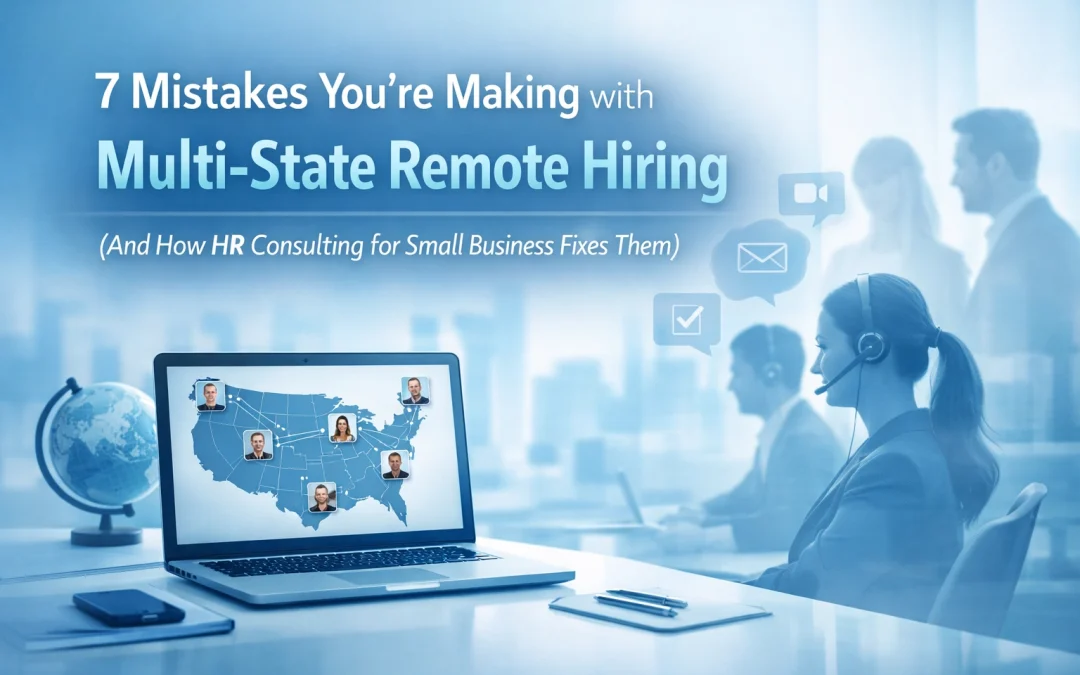
You just hired a rockstar engineer in California. Your accountant lives in Texas. Your customer success lead is crushing it from Colorado. Remote work opened up your talent pool, but it also opened up a compliance minefield you probably didn’t see coming.
Here’s the thing: multi-state remote hiring isn’t just “hire anyone, anywhere.” Every state where you have an employee comes with its own tax rules, labor laws, registration requirements, and workers’ comp policies. Miss one, and you’re looking at fines, back taxes, or worse, a lawsuit that could’ve been avoided.
The good news? These mistakes are predictable. And fixable. Let’s walk through the seven biggest compliance traps small businesses fall into with remote teams, and how hr consulting for small business keeps you out of trouble.
Mistake #1: Misclassifying Workers as Independent Contractors
You hire someone remote. They set their own hours. They use their own laptop. Contractor, right?
Not necessarily.
The IRS doesn’t care what you call someone, they care about behavioral control, financial control, and the relationship type. If you’re directing how, when, and where the work gets done, that person is probably an employee. Misclassify them, and you could face IRS penalties, back pay demands, and a messy lawsuit.
The fix: Follow IRS worker classification tests to the letter. Draft contracts with clear scope, deliverables, and intellectual property clauses. If you’re unsure, bring in HR consulting for small business to review your setup before you sign anyone. Many of our clients use Jumpstart HR’s 10-hour consulting blocks to get classification guidance without committing to a full retainer.
Mistake #2: Ignoring State-Specific Labor Laws
Let’s face it: treating all your remote employees the same is tempting. But California’s meal break laws don’t look anything like Florida’s. Colorado has strict overtime rules. New York’s paid sick leave requirements are different than Tennessee’s.
If your business is based in Georgia but you hire someone in California, you have to follow California’s labor standards for that employee, even though your headquarters is 2,000 miles away.
One tech startup learned this the hard way after hiring remote workers in three states without adjusting their policies. They got hit with a $15,000 fine for overtime miscalculations alone.
“Your company doesn’t get to choose which state’s labor laws apply. The employee’s location does.”
The fix: Build a master remote work policy, then create state-specific addendums. Document your compliance tracking procedures. And designate someone, whether that’s an internal lead or a dedicated remote HR professional, to monitor changes in labor law for every state where you employ people.
Mistake #3: Neglecting Employee Location Accuracy and Tax Withholding
You hired someone in Colorado. Great. But three months later, they move to Oregon and don’t tell you. Now your payroll tax withholding is wrong. Your state unemployment insurance is wrong. And when tax season hits, you’re scrambling to file amended returns.
Incorrect location records delay refunds, trigger penalties, and create a compliance mess that takes months to untangle.
The fix: Educate your team on why accurate location matters. Make it part of onboarding. When someone moves, get the relocation date immediately and update payroll right away. If you’ve already got errors, work with your payroll provider to issue corrected W-2s.
Many small businesses outsource this entirely to avoid the headache. Jumpstart HR’s remote HR professionals manage location tracking, tax updates, and payroll coordination, so you don’t have to become a 50-state tax expert overnight.
Mistake #4: Failing to Register as a Foreign Entity
Here’s one most founders miss: if you have employees in a state, you might need to register your business there as a “foreign entity.” It sounds technical, but it just means your out-of-state company is now doing business in that state.
Skip this step, and you could face registration penalties, back fees, and even lose the ability to defend yourself in court in that state.
One small business hired two employees in Georgia without registering. When they discovered the requirement a year later, the registration fees, penalties, and legal costs totaled over $12,000.
The fix: Before you hire in a new state, check the foreign entity registration requirements. In most states, having an employee triggers this. Register immediately, it’s usually a straightforward process, but the penalties for skipping it aren’t.
Not sure where to start? HR consulting for small business can audit your current footprint and handle registration on your behalf.
You’ve got workers’ comp for your headquarters state. You’re covered, right?
Not if your remote employee gets injured in a different state.
Multi-state employment means multi-state workers’ compensation requirements. Some states require separate policies for out-of-state workers. Others require additional coverage endorsements. Miss this, and you’re personally liable if someone gets hurt while working from home in another state.
A tech company faced a $20,000 legal bill when an Arizona-based employee was injured at their home office, and the company’s policy didn’t cover out-of-state workers.
The fix: Verify workers’ comp requirements in every state where you have employees. Work with your insurance provider to close coverage gaps. Document these requirements in your remote work policy so everyone knows what’s required before onboarding someone new.
Mistake #6: Creating Vague Policies Without Specific Procedures
“Employees should maintain data security.”
“Remote workers must comply with company standards.”
These sound reasonable. They’re also useless.
Vague policies create compliance gaps because no one knows exactly what they’re supposed to do. Your team needs explicit, measurable procedures, especially when you’re operating across state lines where labor law interpretations vary.
The fix: Replace general guidelines with specific procedures. Instead of “maintain data security,” write: “Employees must use company-approved VPN software, enable two-factor authentication on all work devices within 48 hours of remote work commencement, and complete monthly security training.”
This level of specificity protects you legally and makes expectations crystal clear. Need help drafting compliant policies? That’s exactly what HR consulting for small business handles, our team at Jumpstart HR writes state-specific policy addendums that hold up under scrutiny.
Mistake #7: Allowing Payroll and HR to Operate Separately
When payroll and HR don’t talk to each other, multi-state compliance falls apart fast. Payroll updates tax withholding without telling HR about a location change. HR onboards someone without confirming payroll has the right state setup. The result? Inconsistencies, errors, and compliance risks that compound over time.
The fix: Your payroll and HR teams need to work in lockstep. Centralize compliance tracking. Use systems that sync data between departments automatically. Better yet, bring in local specialists or HR consultants who understand multi-state requirements and can coordinate everything from one place.
This is where Jumpstart HR’s dedicated remote HR professionals make the biggest difference. We bridge payroll and HR, manage compliance tracking across all your states, and handle the coordination so nothing falls through the cracks.
You Don’t Have to Figure This Out Alone
Multi-state remote hiring doesn’t have to be overwhelming. Yes, the compliance requirements are real. But they’re also predictable: and manageable with the right systems in place.
“The companies that scale successfully with remote teams aren’t the ones doing everything in-house. They’re the ones who know when to bring in expert support.”
Whether you need a one-time audit, help with state registrations, or ongoing compliance management, hr consulting for small business gives you access to the expertise without the overhead of a full-time HR department. At Jumpstart HR, we offer flexible solutions: from 10-hour consulting blocks for targeted support to dedicated remote HR professionals who manage your entire compliance footprint.
You’ve already done the hard part: building a great remote team. Let’s make sure the compliance side doesn’t become your biggest headache.
👉 Ready to clean up your multi-state compliance?Visit Jumpstart HR to learn how we help small businesses and startups hire confidently across state lines( without the compliance stress.)
The window for open enrollment for small businesses can catch most managers by surprise every year. Why? When you hear “open enrollment,” most small business owners think stress—spreadsheets, deadlines, and nonstop questions from employees. But what if this year’s benefits season could be your biggest HR win yet?
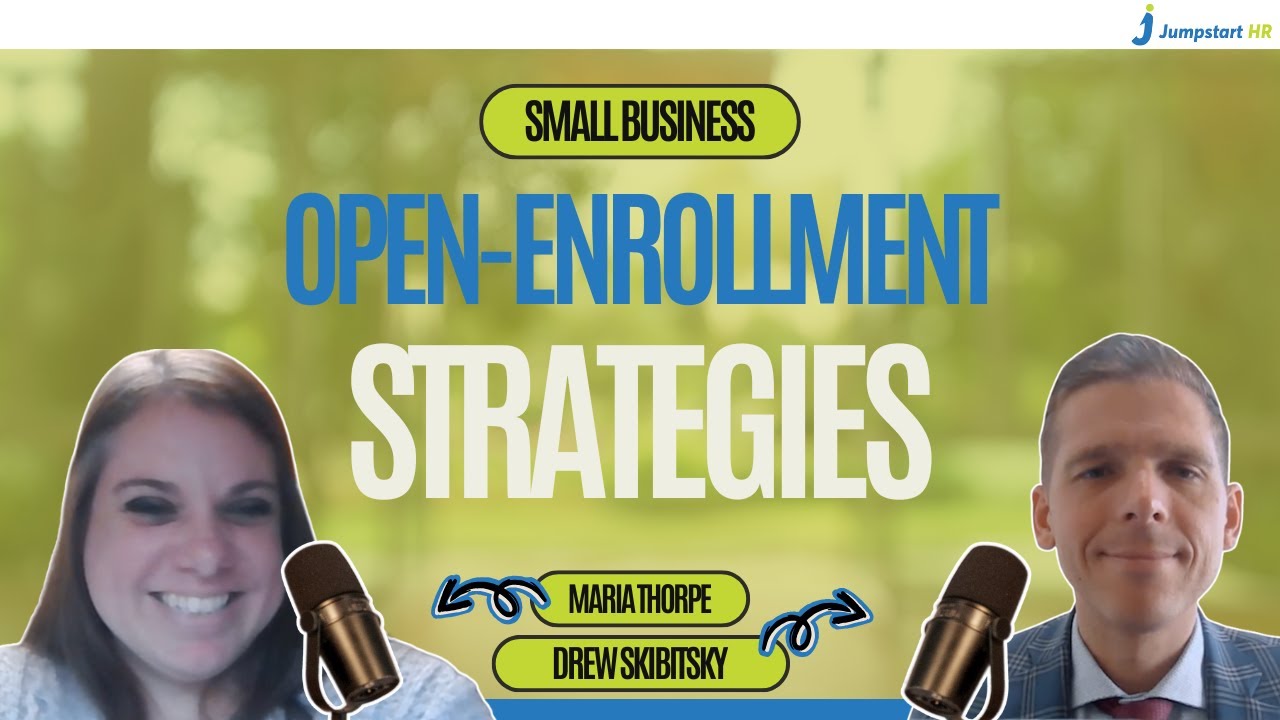
That’s exactly what our team explores in this powerful 40-minute conversation now live on YouTube: Watch the full video. You’ll hear seasoned HR and benefits consultants from Jumpstart HR and guest Drew Skibitsky from The MWE Partnership break down what successful open enrollment looks like—and how small businesses can master it without burning out.
Quick Tips to More Memorable Open Enrollment for Small Businesses
1. Simplify the Chaos
In the video, our experts share real-world examples of how small businesses streamlined their enrollment process using proactive communication and smarter planning. Instead of sending employees a flood of PDFs, one HR leader at Jumpstart HR created a one-page visual summary and hosted a virtual Q&A. Participation increased, and questions dropped by 60%. Pro tip: Start early, create clarity, and meet employees where they are.
2. Educate, Don’t Just Enroll
The best open enrollment strategies turn confusion into confidence. As you’ll see in the video, employers who invest in employee education (like short explainer videos, lunch-and-learns, or comparison charts) see better engagement and smarter plan selections. When employees understand why benefits matter, they make choices that support their long-term well-being and your organization’s bottom line.
3. Lean on Experts
Small business owners and HR leaders shouldn’t have to do everything alone. Our consultants in the video emphasize the value of bringing in outside expertise to coordinate vendors, verify compliance, and communicate benefits effectively. That’s where Jumpstart HR’s Prepaid HR Consulting Package comes in. With prepaid hours, you can secure on-demand support to prepare for open enrollment, audit your benefits communication, and coach your team through tough HR decisions—all without waiting for a long-term contract to kick in.
4. Turn Enrollment Into Engagement
Open enrollment is more than a compliance task, it’s a trust-building opportunity. The video highlights how small businesses can use this season to reinforce their employer brand. When employees feel seen, informed, and supported, they don’t just enroll in benefits. They enroll in your mission.
By partnering with Jumpstart HR, you’ll have experienced professionals by your side to guide communications, support decision-making, and ensure compliance every step of the way.
Turn what’s often a stressful season into a seamless, strategic advantage for your business—and give your team the confidence they deserve.
“AI isn’t here to take your job — it’s here to help you do your job better.”
AI for HR Leaders is no longer a future idea. It’s here. And HR leaders like you are starting to feel the pressure to use it, understand it, or at least talk about it with confidence. But where do you begin?
Whether you’re a tech-savvy HR director or a one-person HR department juggling payroll and performance reviews, this guide will help you take your first confident step into the world of AI for HR. No jargon. No fear. Just real, practical advice — written for the real world of work.
Why HR Needs AI Now
Let’s face it: today’s HR leaders are expected to do more with less. From hiring and onboarding to labor law compliance and employee morale, your to-do list keeps growing. AI can help. And here’s how:
Automate repetitive tasks
Make faster, data-driven decisions
Personalize employee experiences at scale
Or, in simple terms: AI for HR Leaders helps you work smarter, faster, and fairer.
“Think of AI like an Iron Man suit for your HR team — you’re still in control, just stronger and faster.”
Three Big Promises of AI for HR Leaders
Before diving into tools or tech, start with understanding what AI actually delivers. Here are the three major benefits to expect:
1. Do More With Less
AI reduces the time you spend on low-value tasks like resume screening or scheduling meetings. This gives you more time to focus on strategic work that helps your team grow and thrive.
2. Decide Quickly With Data
AI reads large amounts of data fast. Whether it’s turnover trends, payroll errors, or employee surveys, it helps you make decisions faster and more confidently.
3. Personalize at Scale
AI creates unique experiences for each employee. From personalized onboarding checklists to tailored learning paths, your team gets what they need—without the heavy lifting from you.
“Netflix didn’t beat Blockbuster with more movies. They won by knowing what people wanted. That’s the power of personalization.”
Step-by-Step: How to Start Using AI in HR
If you’re wondering how do I even begin?, don’t worry. Here’s a simple three-step roadmap we use at Aspect43 to help HR teams like yours become AI-ready.
Step 1: Surface Your Bottlenecks
Ask yourself: “Where am I losing the most time or energy?” Talk to your team. Look for:
Delays in hiring
Payroll errors
Burnout from repetitive tasks
Compliance risks
This helps you focus your AI journey on what actually matters.
Step 2: Score Your Use Cases
Once you’ve found your bottlenecks, rate them based on:
Impact (How much it will help?)
Risk (What’s the chance of it going wrong?)
Effort (How hard is it to fix?)
Start with low-risk, high-impact areas. These are your best bets for early wins.
Step 3: Run a Pilot
Try a small test. Maybe it’s a free chatbot trial. Or turning on automation in your payroll system. Set clear goals and track results. This builds trust and gives you data to share with leadership.
“Start small. Win big. Use pilots to test what works — and ditch what doesn’t.”
The Power of AI For HR Leaders (What AI Can Do Right Now)
Here’s a breakdown of how AI can help you across common HR functions — and what you might be missing if you’re not using it yet.
Recruitment & Retention
AI speeds up resume screening by up to 70%.
Tools can predict turnover based on employee behavior.
AI writes job ads tailored to candidate interests.
Without AI:
Manual screening takes hours.
Turnover surprises you.
Job ads feel generic and miss top talent.
Payroll Processing
AI finds paycheck errors fast.
Sends reminders for missed time entries.
Flags tax mistakes, like the wrong state withholding.
Without AI:
You may miss critical errors.
Managers forget approvals.
You rely on memory for tax rules.
Labor Compliance
AI keeps up with changing laws across states.
Auto-flags I-9 issues and policy risks.
Applies the right rules by job and location.
Without AI:
Risk of legal trouble and fines.
Missed updates due to staff shortages.
Generic policies create blind spots.
Employee Morale
Auto-send pulse surveys every month.
Use sentiment analysis to catch issues early.
Give feedback that fits each employee’s style.
Without AI:
Low engagement goes unnoticed.
Feedback is vague or inconsistent.
Burnout spreads quietly.
Onboarding
Automates checklists and welcome emails.
Sends equipment and training materials.
Tracks where new hires drop off.
Without AI:
Missed steps leave new hires confused.
Delays affect first impressions.
You can’t see why people quit early.
Scheduling & Overtime
Builds smart shift schedules.
Flags overtime spikes and coverage gaps.
Matches shifts to employee preferences.
Without AI:
Managers scramble to fill shifts.
Overtime budgets blow up.
Burnout increases.
Other Smart Uses
Chatbots answer HR questions instantly.
Learning paths guide employees based on goals.
Tracks trends in absenteeism and performance.
“AI doesn’t replace people — it amplifies them. HR leaders become more strategic, more proactive, and more human.”
Smart Tips for Safe AI Use in HR
AI is powerful, but it’s not perfect. Here are a few safety tips:
Don’t upload private employee info to public tools. Use internal tools or turn off data sharing settings.
Always double-check legal info. AI can help with compliance, but it’s still learning. If a prompt gives you a policy, verify it before using it.
Keep it ethical. AI should support fairness and equity, not reinforce bias. Always review decisions involving hiring, promotion, or discipline.
What Tools Should I Use?
Good news: you may already have AI tools in your current HR software. Most modern systems — like applicant tracking, payroll, or performance management platforms — offer AI features you can turn on today.
Instead of buying something new, ask your vendor:
“Can our system screen resumes using AI?”
“Can it predict employee turnover?”
“Can it recommend training paths for each role?”
“You don’t need a big budget to start with AI. You just need big curiosity.”
Free Resource: HR Technology Buyer’s Guide
To help you choose the right tools — or get more from the ones you have — download our HR Technology Buyer’s Guide from Aspect43. It includes:
A self-assessment to map your current tools
A checklist to ask vendors before you buy
Insights from hundreds of HR leaders on what’s working (and what’s not)
Final Thoughts on AI for HR Leaders: It’s a Journey, Not a Switch
AI is changing the game for HR — but you don’t need to master it overnight. Start with your biggest pain point. Ask good questions. Try a pilot. And remember: this isn’t about robots replacing people.
It’s about HR leaders using smart tools to make people-first decisions — better and faster.
“You don’t have to be an AI expert to get value from it. You just have to get started.”
If this article helped you or sparked an idea, share it on LinkedIn and tag your team. The future of AI for HR Leaders is already here — and you’ve got this.
Used to monitor number of Google Analytics server requests when using Google Tag Manager
1 minute
_gid
ID used to identify users for 24 hours after last activity
24 hours
_gac_
Contains information related to marketing campaigns of the user. These are shared with Google AdWords / Google Ads when the Google Ads and Google Analytics accounts are linked together.
90 days
_gali
Used by Google Analytics to determine which links on a page are being clicked
30 seconds
_ga
ID used to identify users
2 years
__utmx
Used to determine whether a user is included in an A / B or Multivariate test.
18 months
__utmv
Contains custom information set by the web developer via the _setCustomVar method in Google Analytics. This cookie is updated every time new data is sent to the Google Analytics server.
2 years after last activity
__utmz
Contains information about the traffic source or campaign that directed user to the website. The cookie is set when the GA.js javascript is loaded and updated when data is sent to the Google Anaytics server
6 months after last activity
__utmc
Used only with old Urchin versions of Google Analytics and not with GA.js. Was used to distinguish between new sessions and visits at the end of a session.
End of session (browser)
__utmb
Used to distinguish new sessions and visits. This cookie is set when the GA.js javascript library is loaded and there is no existing __utmb cookie. The cookie is updated every time data is sent to the Google Analytics server.
30 minutes after last activity
__utmt
Used to monitor number of Google Analytics server requests
10 minutes
__utma
ID used to identify users and sessions
2 years after last activity
SourceBuster is used by WooCommerce for order attribution based on user source.
Name
Description
Duration
sbjs_migrations
Technical data to help with migrations between different versions of the tracking feature
session
sbjs_current_add
Timestamp, referring URL, and entry page for your visitor’s current visit to your store
session
sbjs_first_add
Timestamp, referring URL, and entry page for your visitor’s first visit to your store (only applicable if the visitor returns before the session expires)
session
sbjs_current
Traffic origin information for the visitor’s current visit to your store
session
sbjs_first
Traffic origin information for the visitor’s first visit to your store (only applicable if the visitor returns before the session expires)
session
sbjs_udata
Information about the visitor’s user agent, such as IP, the browser, and the device type
session
sbjs_session
The number of page views in this session and the current page path
30 minutes
Marketing cookies are used to follow visitors to websites. The intention is to show ads that are relevant and engaging to the individual user.
Facebook Pixel is a web analytics service that tracks and reports website traffic.
This cookie is used to play YouTube videos embedded on the website.
2 years
DEVICE_INFO
Used to detect if the visitor has accepted the marketing category in the cookie banner. This cookie is necessary for GDPR-compliance of the website.
179 days
YSC
Registers a unique ID to keep statistics of what videos from YouTube the user has seen.
Session
PREF
This cookie stores your preferences and other information, in particular preferred language, how many search results you wish to be shown on your page, and whether or not you wish to have Google’s SafeSearch filter turned on.
10 years from set/ update
VISITOR_INFO1_LIVE
Tries to estimate the users' bandwidth on pages with integrated YouTube videos. Also used for marketing
179 days
GPS
Registers a unique ID on mobile devices to enable tracking based on geographical GPS location.