Indeed FutureWorks 2026 made a case for moving beyond application volume toward better hiring outcomes. Here is my independent take on the recruitment tools, job-seeker features and trust questions that deserve attention from SMB and mid-market HR leaders.
The short answer: Indeed’s latest AI recruiting tools connect employer branding, job promotion, candidate sourcing, screening, credential checks and scheduling around one goal: helping employers reach qualified people and act faster. The potential value is real, but only when employers define quality well, preserve human judgment and measure hiring outcomes rather than activity.
Hiring technology has spent years making it easier to post and apply, producing more applicants and administrative work without guaranteeing a better hire. That is why the most consequential message I heard at Indeed FutureWorks 2026 was the shift from optimizing clicks and applications to optimizing meaningful hiring outcomes.
Indeed calls its broader narrative “The Human Advantage”: AI performs repetitive work while people concentrate on judgment, relationships, trust and recognizing potential. The real test is whether the technology improves the signal between a real employer and a qualified person without making hiring feel less human.
Disclosure: Indeed provided event access and background materials for this recap. The analysis and recommendations are my own. This article is not an endorsement of Indeed or any specific product.
A mixed job market makes matching more important
Indeed Chief Economist Dr. Svenja Gudell described the United States as a “low-hire, low-fire” market. Unemployment was 4.1% in June 2026, but that relative calm hides sharp differences. Indeed’s chartbook showed healthcare and production and manufacturing postings above pre-pandemic levels, while software-development postings remained well below that benchmark. Entry-level talent is having a particularly difficult time.
Indeed estimates that the United States could have roughly six million fewer workers by 2032 as the population ages. Yet more than 70% of U.S. job postings mention a business-operations skill, suggesting many capabilities can travel across occupational lines. The challenge may be moving people with transferable skills toward the work.
That context matters. Employers do not need recruitment tools that merely accelerate yesterday’s search behavior. They need hiring software that can uncover adjacent skills, distinguish must-haves from preferences and help a person see potential that a keyword search might miss.
The employer products: a connected path from discovery to decision
The new and expanded products span the hiring funnel. Their value proposition is strongest as a connected system rather than separate point solutions.
Employer Branding Suite and Brand Score
Indeed’s Employer Branding Suite and Brand Score address the top of the funnel. The suite manages how an employer appears across Indeed and Glassdoor, while Brand Score is a free metric in Indeed Analytics that measures visibility, engagement and perception on a 1-to-100 scale.
For an SMB, the free score may be the most immediately useful capability. A smaller employer may not outspend a large competitor, but it can tell a clearer story. Indeed reports that 89% of job seekers research company reviews before applying and that a 10-point Brand Score improvement is associated with moving about 14 percentile points ahead in application starts.
My caution is simple: a score is a diagnostic, not the brand itself. If employee experience is poor, better promotion will amplify the gap between the promise and the reality. Brand data should lead to operational questions about culture, manager quality, pay and candidate communication.
Premium Sponsored Jobs
Premium Sponsored Jobs is not brand new, but it connects targeting, matched candidates, branded job elements, relocation matching and AI-assisted outreach. Indeed says employers can fill roles up to 50% faster than with non-sponsored jobs posted directly on Indeed.
The relevant test is whether visibility converts into qualified, responsive candidates for a specific role. Evaluate cost per qualified applicant, interview rate, offer acceptance and time to productive hire—not impressions alone.
Sourcing Assistant
Sourcing Assistant, part of Indeed Smart Sourcing, uses employer-defined criteria and natural-language prompts to search, calibrate matches, draft outreach and follow up. Its “deep sourcing” approach looks beyond exact Boolean or keyword matches.
In a 225-job U.S. trial, Indeed reports sourced applicants were 2.9 times more likely to be hired and were hired six days faster than applicants from other Indeed sources. Beta employers reported median savings of eleven hours weekly.
Those are interesting early results, especially for a solo recruiter or business owner hiring at night. Still, leaders should validate the results in their own roles. The right question is not “How many messages did the agent send?” It is “Did it create a qualified pipeline that our team would not have found in the same time?”
Smart Screening, Smart Fit Score and credential checks
Smart Screening takes aim at application overload. Its Smart Fit Score evaluates applications from 0 to 100 against employer-defined criteria, with a summary explaining alignment and review points. Dynamic Screening gathers context through voice, text or video, while scheduling automation moves candidates forward.
The product deck also highlighted credential and licensure checks. Employers can request proof earlier, while job seekers can use a third-party check or upload evidence. That could reduce follow-up and help qualified applicants substantiate a key requirement.
Indeed reports that Smart Screening takes 26% fewer applications to produce a hire. In one event case study, a senior-care provider reduced its application-to-offer cycle from nearly 20 days to just over eight.
This is where trust and governance become non-negotiable. A score built on weak criteria gets an employer to the wrong answer faster. Teams should document why criteria are job-related, review full applications, test for adverse patterns and keep final decisions with people. Indeed positions the score as decision support, and its credential-check terms still require employer verification.
Job-seeker tools: becoming discoverable, credible and ready
The job market is a mixed bag. A nurse, skilled-trades worker, recent graduate and laid-off knowledge worker are not in the same market. Generic advice to “apply more” is inadequate.
Indeed’s job-seeker strategy is increasingly built around richer profiles and guided matching. Career Scout is an AI career coach that helps people identify possible career paths, tailor resumes, prepare for interviews and receive recommendations based on skills, interests and preferences. Indeed says Career Scout users find and apply to relevant jobs seven times faster and are 38% more likely to be hired than comparison users of its mobile app.
I would also watch Apply For Me, but with caution. Indeed paused its automatic-application mode in August and is focusing on an approach in which job seekers review drafted applications before submission. That is a healthy example of why human agency matters: reducing repetitive effort is useful; separating people from the applications submitted in their names risks adding more noise and weakening trust.
Trust is not a feature; it is the operating system
Trust expert Rachel Botsman described trust as “a confident relationship with the unknown.” That is exactly the condition facing employers and job seekers using AI in hiring. People need to know what the system is doing, what information it uses, where it can fail and who remains accountable.
Ethan Mollick discusses how expertise shapes the value people get from AI at Indeed FutureWorks 2026.
Ethan Mollick offered another useful frame: build a “twilight factory,” not a dark one. Agents can do substantial work, but human expertise and sign-off still add value. In “The Next Era of Work,” Marc Benioff and Hisayuki Idekoba reinforced the case for people and agents working together.
This aligns with an argument I make in The Power of HR: technology alone cannot solve every problem. Tools need human insight and context to be effective. The best AI recruiting tools should create more time for honest conversations, not simply automate rejection at greater scale.
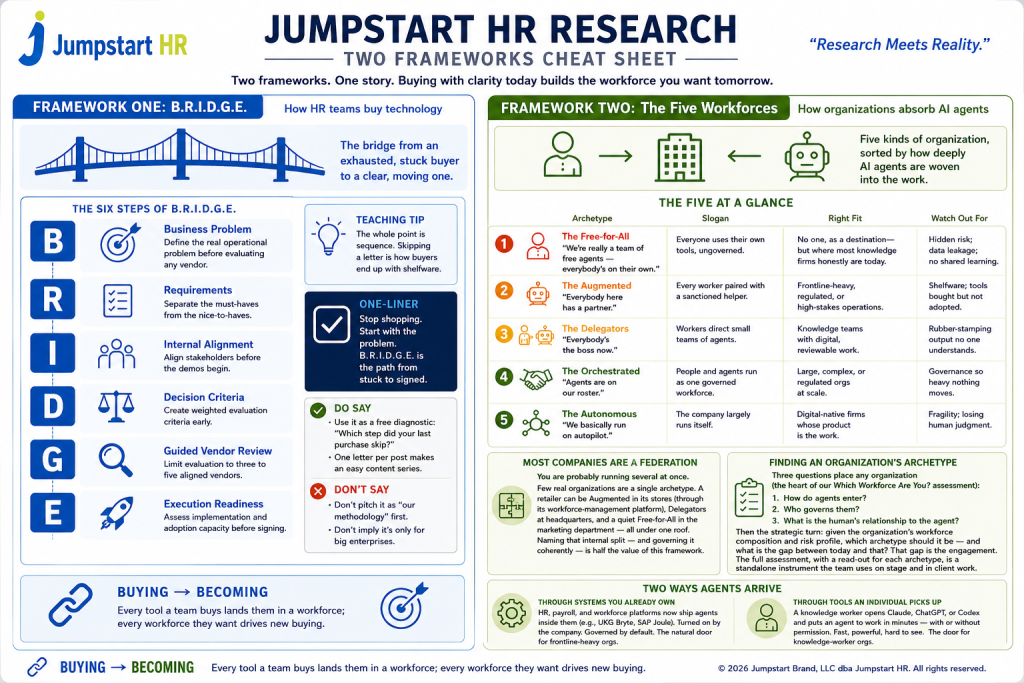
BRIDGE moves from Business Problem through Requirements, Internal Alignment, Decision Criteria, Guided Vendor Review and Execution Readiness. Decide whether the problem is applicant quality, scarce-talent sourcing, employer awareness, slow screening or fragmented systems. Then establish proof: quality indicators, time saved, candidate response, fairness and integration performance.
The Five Workforces is a map—not a maturity ladder—of how organizations absorb AI: Free-for-All, Augmented, Delegators, Orchestrated and Autonomous. Sourcing Assistant and Smart Screening can move a team from augmentation toward delegation by assigning repeatable sourcing, triage and coordination to agents. That may be right for one workflow and premature for another. Match governance, training and human review to the work you are actually delegating.
Indeed’s connected approach is worth considering because it targets a central failure of modern hiring: abundant activity with insufficient signal. The strongest capabilities link brand, sourcing, screening and job-seeker context to a shared definition of quality. The unresolved work is proving that quality across industries and edge cases while earning candidates’ trust.
That is the human advantage worth building: not people competing with AI, but people using better intelligence to recognize potential and make better decisions—faster.
Frequently asked questions
What were the most important products discussed at Indeed FutureWorks 2026?
The employer products were Employer Branding Suite and Brand Score, Premium Sponsored Jobs, Sourcing Assistant, and Smart Screening with Smart Fit Score, credential checks and scheduling. Indeed also emphasized Career Scout and richer job-seeker profiles.
How can Indeed’s AI recruiting tools help employers hire faster?
They accelerate sourcing, outreach, application review, credential collection and scheduling. Employers should verify the result with days to qualified slate, interview conversion and time to productive hire.
Does Smart Fit Score make the hiring decision?
No. Indeed says Smart Fit Score evaluates an application against employer-defined criteria and supports human review; it is not intended to make the final hiring decision. Employers remain responsible for reviewing candidates, validating qualifications and monitoring their process for fairness and compliance.
How do Indeed’s job-seeker tools help people get discovered?
Career Scout helps people clarify skills, explore adjacent paths, tailor resumes and prepare for interviews. A current, discoverable profile gives recruiters more context, while credential checks can add evidence for certain regulated roles.
What should an SMB leader look for in the best hiring software?
Start with the bottleneck, not the brand name. Define the business problem, integrations, budget, decision rights, compliance needs and success measures. For a small employer, the best hiring software improves qualified-candidate flow or removes meaningful administrative work without adding complexity the team cannot govern.
What does trust in hiring mean when AI is involved?
Trust requires clarity about what the AI does, which data it uses, how recommendations are explained, where people can correct errors and who is accountable for decisions. Speed can support trust through timely communication, but opaque scoring, weak criteria or automated silence can damage it.
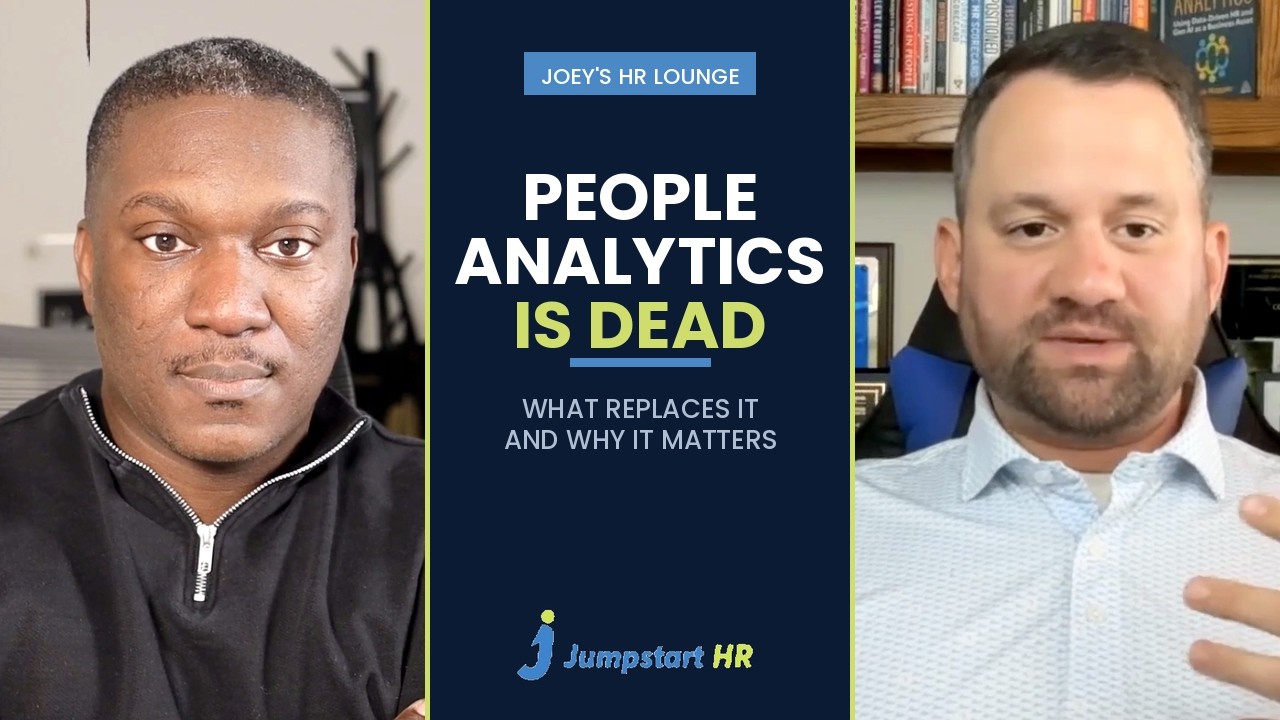
If you have been asking what people analytics is, and whether your organization still needs a team dedicated to it, the answer has shifted in the last two years. Cole Napper, author of People Analytics: Using Data-Driven HR and Gen AI as a Business Asset and Chief People Intelligence Officer at HRBench, joined Joey Price on Joey’s HR Lounge to make an uncomfortable argument. People analytics has become a commodity. And when something becomes a commodity, it stops being a value-add function.
What replaces it, in Cole’s framing, is people intelligence. Here is what that means, why the shift is happening now, and what it changes for HR leaders at organizations of every size.
What is people analytics?
People analytics is the practice of using workforce data to make better decisions about hiring, pay, performance, retention and workforce planning. It draws on HR systems, payroll, engagement surveys and business results, then turns that raw material into evidence a leader can act on. Some organizations call it HR analytics or workforce analytics. The labels differ. The job is the same, which is replacing gut feel about people with something you can defend.
For most of the last decade, people analytics lived as a specialist function inside HR. That structure is what Cole believes is now coming apart.
Why people analytics became a commodity
Back in 2022, Cole gave a deliberately provocative talk at an invite-only people analytics conference under the title “Is people analytics a luxury we can’t afford?” The timing mattered. The era of near-zero interest rates was ending, and companies were starting to question the speculative functions they had built during the boom.
His position then, and now, is that people analytics undeniably creates value, but practitioners have to prove it. The gap he saw was not technical skill. Most analysts could handle the data science. What many lacked was the business acumen to connect their work to outcomes leadership actually cared about.
The correction that followed was blunt. Some of the largest companies had built people analytics teams of 300 people. As Cole put it on the episode, it was hard to imagine what 75 people would do, let alone 300. Those teams were doing everything under the sun, some of it valuable, some of it not. The reckoning that followed made the profession leaner, and in his view, better.
The Tree of Value: four disciplines becoming one
One of the most useful frameworks in Cole’s book is the Tree of Value, which began as an article and now anchors his third chapter. The tree has four branches:
People analytics
Workforce planning
Talent intelligence
Behavioral science
Each branch arrived from a different origin story, which is precisely why they struggle to collaborate inside the same organization. Each one tends to believe it is the one true function that knows the way. What connects them is a shared trunk, and what feeds them is a shared root system: the value of human capital and labor data.
Cole’s newer argument, which he is developing into a manifesto, is that those four branches are collapsing into one. Not four disciplines coordinating better, but a single intelligence layer drawing on the wisdom all four have built over the last hundred years.
From people analytics to people intelligence
People intelligence is the name Cole gives to that layer, and it is in his job title at HRBench. The distinction he draws is worth sitting with. If people analytics is now a commodity, value has to come from somewhere else. Part of it still comes from the data. The rest comes from the intelligence built on top of it, delivered to organizations of every size at a price point that makes it accessible rather than exclusive.
He also points out where the word intelligence comes from in most companies. It comes from business intelligence, a term he jokes has little to do with business and even less to do with intelligence, because in practice it means dashboards and reports. The other lineage is the intelligence community, where signals, human sources and geospatial data are synthesized into a single briefing for a head of state. His provocation is simple. What would change if your leadership team had that quality of intelligence about their workforce?
What happens when the talent you analyze is not human
This is where Joey pushed back on the model. His view is that we are not going to live much longer in a world where the only talent you analyze is human. Agents and increasingly autonomous software are doing real work. If that is true, the people function becomes a work function, and the tree grows a branch nobody planned for.
Cole agreed, and named the version he has been working on: people intelligence on one side, work intelligence on the other, where work includes both humans and technology. Then he identified the blocker, and it is a measurement problem.
There is no equivalent way to measure human work and technology work today. A leader trying to decide whether a problem calls for deploying people or deploying technology has no shared unit of comparison. The command center that would make that decision possible does not exist yet.
Why small and mid-sized companies matter most in this shift
If you run HR for a small or mid-sized organization, you likely have a one-person analytics function. Or a zero-person one. That has always been framed as a disadvantage. Cole’s read is the opposite.
HR needs are roughly equivalent at every company size. Hiring, pay decisions, compliance, retention, planning for next year. What differs enormously is the staffing you can put behind those needs. And if AI proves as transformative as its advocates claim, large organizations start operating like medium ones, medium ones like small ones, and small ones like startups. The lean end of the market stops being the exception and becomes the model.
That makes technology leverage a requirement rather than a nice-to-have. Connected systems, so the data is in one place. A small set of numbers leadership and the board actually act on. The ability to answer a workforce question without losing a week to spreadsheets.
The measurement problem has an ethics problem underneath it
The most sobering stretch of the conversation is about what building that measurement system might require. Cole wrote a short fiction piece in December called The Camera, about a company that buys a tool which sees through walls, reads biometrics, tracks whether you are paying attention, and feeds it all back into the operating model. It pings employees when a bathroom visit runs long. It suggests you seem a little down today and might consider being happier.
It reads as dystopian. His point is that, aside from seeing through walls, all of that technology already exists. The only things standing between an organization and that future are will, knowledge and budget. Which raises the question he keeps returning to: do you have to build a soft dystopia just to get equivalent measurement between humans and technology? He calls it an area rife for regulation, and it is hard to disagree.
For what it is worth, Cole ends the conversation optimistic. His grandparents went from horse and buggy to the moon landing inside one lifetime. He thinks we are due for a stretch of change that rivals it.
Yes, but the case has to be made in business terms. The argument on this episode is not that the work stops mattering. It is that the basic capability has been commoditized, so value now comes from the intelligence layer built on top of the data rather than from having an analytics team at all.
What is the difference between people analytics and people intelligence?
People analytics is the analysis of workforce data. People intelligence, as Cole Napper defines it, is the synthesis layer that draws on people analytics, workforce planning, talent intelligence and behavioral science together, and is designed to inform decisions rather than to produce reports.
Can a small company do people analytics without an analyst?
It can, and increasingly it has to. The practical starting point is connecting your existing systems so workforce data lives in one place, then agreeing on a small number of measures leadership will actually use. That is a technology and governance problem more than a headcount problem.
Need help making sense of your own workforce data?
Jumpstart HR helps small businesses, startups and nonprofits build HR operations that hold up under scrutiny, including the reporting your leadership team and board rely on. Get in touch to talk through what that would look like for your organization.
Every HR leader has sat in that meeting. You raise a concern about turnover, or a compliance gap, or a broken hiring process. Leadership nods politely. And then the conversation moves on to something that “actually” affects the business.
Here’s the uncomfortable part: the people in that room aren’t ignoring you because HR doesn’t matter. They’re ignoring you because you haven’t given them a reason not to.
Influence in HR was never about having a seat at the table. Titles get you the seat. What keeps you there, and what gets people to actually act on what you say, is something else entirely: the ability to walk in with data, a framework, a plan, and a number leadership can’t argue with.
That’s the gap between HR that gets talked over and the one that gets listened to. And it’s exactly the gap Jumpstart HR was built to close, through its fractional HR consulting on one side and its independent research arm,Jumpstart HR Research, on the other.
What Actually Makes an HR Leader Influential
Influence isn’t a personality trait. It’s a track record.
The HR leaders who shape decisions instead of just implementing them tend to share a few habits:
They speak in business outcomes, not HR jargon
They bring a recommendation backed by data, not a gut feeling
They flag risk before it becomes a headline or a lawsuit
They understand the HR technology landscape well enough to push back on a vendor pitch
They make compliance part of the strategy conversation instead of a footnote to it
They give managers tools to lead, instead of policing every decision after the fact
None of that happens by accident. It happens because someone did the research, built the framework, or ran the numbers before the meeting started. Most HR leaders are stretched too thin to do all three at once. That’s usually where influence quietly stalls out, not because the leader lacks the instinct, but because they lack the bandwidth.
Why Experience Alone Doesn’t Cut It Anymore
A decade of HR experience used to be enough to earn credibility in the room. It isn’t anymore.
Today’s HR leaders are expected to have a point of view on AI adoption, multi-state compliance, workforce planning, HR technology spend, and employee experience, often all in the same quarter. The pace of change in HR tech alone makes it nearly impossible to stay current while also running day-to-day HR operations.
Because the research team sits inside a firm that’s actively consulting for hundreds of companies, the findings are grounded in what’s actually happening on the ground, not in what a vendor’s marketing deck says. Most HR technology advice online is paid for, directly or indirectly, by the company selling the software. Jumpstart HR Research holds a firm editorial line: the analysis isn’t for sale, and it doesn’t change based on who’s asking.
How Jumpstart HR Helps HR Leaders Build That Influence
This isn’t a services list. It’s a system, and each part of it solves a different piece of the credibility problem.
1. Turning Gut Calls Into Evidence-Based Decisions
TheResearch Library gives HR leaders something most of their peers walk into meetings without: independent data they can point to. When you can say “the market data shows X” instead of “I think X,” the conversation changes. It’s the difference between an opinion and a citation.
2. Giving HR Leaders Frameworks Instead of Generic Advice
Anyone can offer an opinion. Executives trust frameworks because frameworks are repeatable, and repeatable means defensible.
Jumpstart HR’s research team built two of them.B.R.I.D.G.E. is a free six-gate diagnostic (Business problem, Requirements, Internal alignment, Decision criteria, Guided vendor review, Execution readiness) that scores how disciplined your HR technology buying process actually is and flags where shelfware risk hides before a contract gets signed.The Five Workforces maps how deeply AI agents are woven into your organization’s day-to-day work, so you can talk about AI readiness in specific, structural terms instead of vague ones. Both take a few minutes to run, and both are laid out in more detail in the freeTwo Frameworks, One Story guide, built for HR practitioners rather than vendors.
3. Helping HR Leaders Execute, Not Just Strategize
A good idea that never gets implemented isn’t influence. It’s a memo nobody reads.
This is whereJumpstart HR’s consulting services come in. The firm has been running fractional and project-based HR for growing companies since 2011, covering compliance, employee handbooks, recruiting, onboarding, performance management, and leadership coaching. For companies without an HR team, Jumpstart HR effectively becomes the HR department. For teams that already have HR but are stretched thin on execution, Jumpstart HR plugs in for leave administration, employee relations investigations, recruiting overflow, and comp benchmarking, so the strategy doesn’t stall out waiting for hands to execute it. Popular starting points include thePrepaid HR Consulting Package and theFlexible HR Support Subscription.
4. Helping HR Leaders Get Ahead of Risk Instead of Reacting to It
Influential HR leaders are the ones who flag the problem in the planning meeting, not the ones explaining it after it becomes a legal issue.
TheHR Risk Assessment is built for exactly this. It’s a 4-minute self-assessment that scores 10 risk areas across the HR and recruiting lifecycle, ranks your flagged gaps by urgency, and comes with a results review from the Jumpstart HR team. It’s the fastest way to walk into a leadership conversation with a ranked list of what to fix, instead of a vague sense that something might be wrong.
5. Becoming the Advisor Leadership Actually Calls First
Put those four pieces together and the pattern is simple: research gives you the data, frameworks give you the structure, consulting gets it implemented, and the risk assessment keeps you ahead of the next problem. That combination is what turns an HR function from a service desk into a function leadership consults before making decisions, not after.
What Influential HR Actually Looks Like Day to Day
It’s easier to spot than it sounds. Influential HR teams:
Flag business problems before they show up in an exit interview
Use workforce data to back every major recommendation
Tie HR initiatives directly to company goals, not just HR goals
Build stronger managers instead of solving every people problem for them
Evaluate new HR technology with an actual framework, not a demo and a gut feeling
Treat research and measurement as ongoing habits, not annual projects
None of this requires a bigger headcount. It requires better inputs and a system for turning them into action.
If you’re ready to build that kind of HR function,book a free consult with Jumpstart HR and let’s scope exactly what you need, before any paid work begins.
Final Thoughts
Research without execution changes nothing. Execution without research is just guessing faster.
The HR leaders who build real influence are the ones who bring both to every conversation: the data to back the recommendation, and the follow-through to make it real. That’s the model Jumpstart HR has built its entire practice around, pairing independent research and proven frameworks with hands-on HR expertise, so HR leaders walk into every room with something leadership can’t wave away.
Want research and frameworks like this delivered straight to your inbox?Subscribe to the Jumpstart HR newsletter for the latest HR technology intelligence, practical guidance, and new podcast episodes.
Everyone’s talking about HR tech right now. Open LinkedIn for five minutes and you’ll run into a post about an AI agent that apparently runs your entire recruiting funnel by itself, a webinar invite for “the future of people ops,” and probably a cold email from some vendor you’ve never heard of in your life. The AI boom didn’t slow any of this down. If anything it poured gasoline on it. New tools show up weekly, and somehow half of them claim to be the one platform that fixes everything wrong with how you run people ops.
So how are you supposed to keep up with any of this? And, more to the point, how do you actually pick the HR tech that fits your company instead of just the one with the smoothest sales demo?
That’s what this post is for. No hype, no buzzwords just for the sake of sounding current, just a real way to think through evaluating and buying HR tech that earns its spot in your stack instead of becoming one more login nobody opens.
What Is HR Tech
Image credits- Magnific
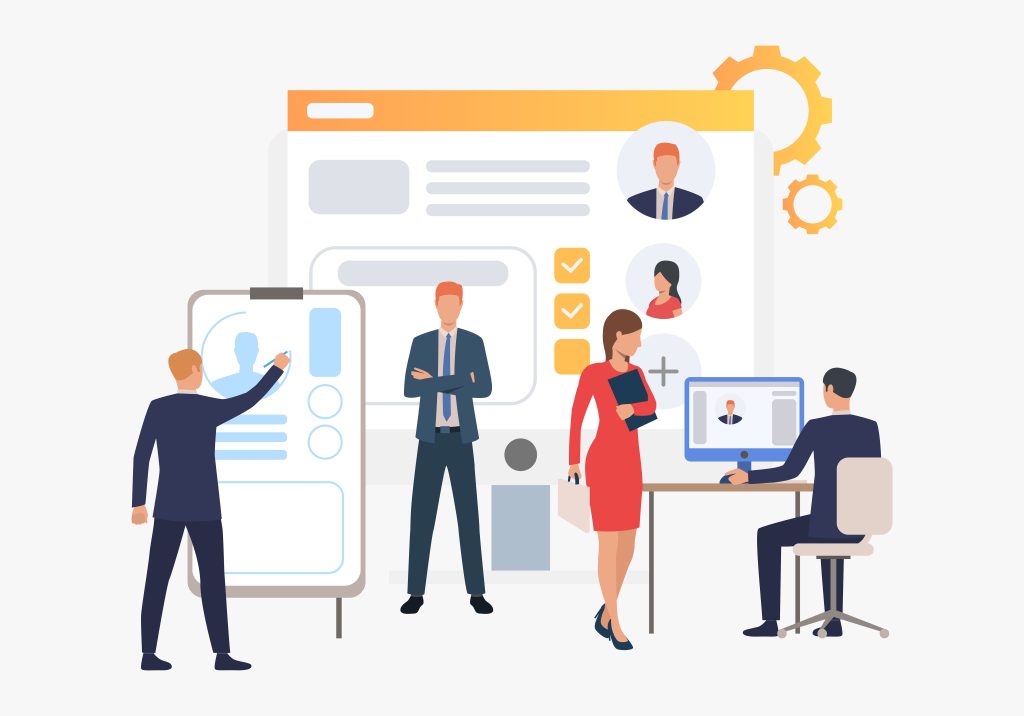
HR tech, in the simplest terms, is any software, platform, or tool that helps a company handle the people side of the business. That’s the system holding all your employee records, the tool your recruiters live in all day to track candidates, the little app someone opens on their phone to request a day off. All of it counts.
For years HR tech basically meant admin software. Payroll. Benefits enrollment. Time tracking. The whole point was digitizing paperwork so fewer things slipped through the cracks.
That definition has grown a lot, and fast. AI dragged HR tech into decision support and automation, almost overnight. Now there are tools drafting job descriptions, screening resumes, flagging employees who might be about to quit, answering basic HR questions without a human ever seeing the request. We went deep on this shift already in our piece onAI for HR leaders, worth a read if you want the longer version of where this is all heading.
But here’s the thing that actually matters for this post. Whether a tool runs on AI or not, it only deserves to be called HR tech if it solves something real. A dashboard nobody opens isn’t HR tech doing its job. It’s just expensive software sitting on a server, quietly doing nothing.
Types of HR Tech
Before you can pick the right HR tech, it helps to know what’s actually out there. Here are the main categories most companies end up dealing with at some point.
HRIS and HCM platforms. The system everything else hangs off of, where employee data, job history, and the org chart all live. Most other HR tech either feeds data into this or pulls it back out.
Payroll and benefits administration. The stuff that pays people correctly, on time, and handles health insurance and retirement plans on top of that. Anyone who’s sat throughopen enrollment for small businesses knows exactly why this category exists.
Recruiting and applicant tracking systems, or ATS. Runs job postings, candidate pipelines, interview scheduling, offer letters. Application volume has exploded across pretty much every industry lately, which is part of whycandidate screening tools have quietly become one of the more important categories on this whole list.
Performance management software. Tracks goals, reviews, feedback, who’s ready for a promotion and who isn’t. Usually where the “wait, we don’t actually know who our top performers are” problem gets fixed.
Learning and development platforms, or LMS. Hosts training content, compliance courses, skill building programs. Good for onboarding and keeping certifications current without chasing people down over email.
Employee engagement and feedback tools. Pulse surveys, recognition platforms, ongoing feedback loops. We talked about why this matters so much once your team is spread out in our post onremote team engagement.
Time, attendance, and scheduling tools. Tracks hours, builds shift schedules, handles PTO requests. Especially critical if you’ve got an hourly or shift based workforce.
People analytics and reporting. Turns raw HR data into something leadership can actually act on. Turnover trends, headcount planning, pay equity, that kind of thing.
AI copilots and HR automation. The newest category by far. These sit inside or on top of your existing systems and quietly automate repetitive work, answering employee FAQs, drafting policy language, summarizing exit interview themes.
Compliance and HR risk management tools. Tracks labor law changes across states, flags worker classification risks, helps you stay ready for an audit instead of scrambling for one. If you employ people in more than one state, you really can’t skip this anymore.
How to Choose HR Tech: A Step-by-Step Guide
This is the part that actually matters. Anyone can rattle off categories of software, that’s the easy part. Picking the right one for your company, your budget, and the stage you’re at right now is a completely different skill. Here’s the actual process we walk clients through at Jumpstart HR before anyone signs a contract.
Step 1: Start With the Problem, Not the Product
Before you look at a single vendor’s website, write down the actual problem you’re trying to fix. Is onboarding taking forever? Are managers blowing through review deadlines? Is your team answering the same three PTO questions every single week? Go talk to the people who’ll actually be using the tool day to day, not just whoever sits in HR leadership. A manager annoyed about scheduling has a totally different problem than an HR director worried about compliance reporting. And if you can’t sum up the problem in one sentence, you’re probably not ready to buy anything yet.
Step 2: Separate Must-Haves From Nice-to-Haves
Make two lists, two columns on a page is really all you need. One for what your company can’t function without right now. One for the stuff that sounds impressive in a demo but isn’t actually solving anything you’re dealing with today. A 30 person startup doesn’t need the same performance management depth as a company with 3,000 employees, even if that bigger platform looks slick in the sales pitch. Buying for the company you hope to be in two years, instead of the one you’re running today, is probably the single most common way HR tech budgets get blown.
Step 3: Build the Full Budget, Not Just the Sticker Price
The price a vendor quotes you per employee per month is almost never the full story. Ask point blank about implementation fees, data migration costs, the hours your team will burn on training, and what happens to your rate if you go over the headcount in your contract. Some vendors quietly charge more for basic support, or hit you with a premium the second you need a feature that probably should’ve been included from day one. Get the real first year cost in writing before you compare two platforms against each other. The one that looks cheaper on the surface can easily end up costing more once you add in implementation and support.
Step 4: Confirm It Actually Talks to Your Other Systems
Integration is where a lot of HR tech purchases quietly fall apart. If your shiny new ATS doesn’t sync with your HRIS, somebody’s manually re-entering candidate information the second they’re hired. If payroll and time tracking don’t talk to each other, you’re basically inviting payroll mistakes. Ask vendors exactly which systems they integrate with natively, and which ones need a third party connector or custom API work to function. Push for a specific answer here. “Yeah, we integrate with most platforms” is not an answer.
Step 5: Take Compliance and Data Security Seriously
Worker classification rules, pay transparency laws, multi-state employment requirements, none of it stays still for long. The vendors who treat compliance like a core feature instead of an afterthought are the ones worth your trust. We broke down a real example of this in our post onwhy HR tech vendors must lead the compliance charge. On the security side, ask where employee data actually lives, who at the vendor can access it, and what happens to all of it if you ever cancel. These are basic questions. A vendor who can’t answer them clearly should make you nervous.
Step 6: Get Reference Customers, Not Just a Demo
A sales demo is built, quite literally, to make the product look perfect. Ask for two or three reference customers close to your size and industry, then actually call them. Ask what broke during implementation. Ask what support response times are really like. Ask what they wish someone had told them before they signed. Independent reviews are worth reading too, but treat them the way you’d treat any review online. A handful of bad ones don’t tell you much. A pattern across dozens does.
Step 7: Pilot Before You Roll Out Company-Wide
Run the new tool with a small group first, ideally one team, for a set period of time before pushing it on everyone else. Decide what success looks like before the pilot starts, not after you’ve already seen the results and want them to look good. Did onboarding actually get faster? Did managers complain less about the review process? A pilot also gives you leverage in negotiations, since you’re not locked into a multi-year deal before you even know if the thing works in your environment.
Step 8: Plan the Rollout Like a Change Management Project, Not a Software Launch
The best HR tech on the market still fails if people don’t trust it or don’t know how to use it. Build an actual communication plan: what’s changing, why it’s changing, what people need to do differently starting Monday. Find a few champions across different teams who can answer questions and show people it actually works. Training can’t just be one email with a login link attached to it. Give people real time to learn the system before you expect them to depend on it.
Step 9: Define How You’ll Measure ROI Before You Sign
Decide ahead of time what success actually looks like and how you’ll know you got there. Maybe that’s time to hire, turnover, fewer manual hours spent on HR admin, fewer compliance flags during audits. Set a check in date, 90 days out and again at six months, and go back and look at the numbers against whatever the vendor promised you in the sales process. Skip this step and you have no real way of knowing if the tool delivered anything. You’ll just keep renewing the contract out of habit.
Step 10: Bring in Outside Expertise When You’re Not Sure
If you don’t have someone on staff whose job is literally buying HR technology, and most small and mid-size companies don’t, this is exactly the kind of call where outside expertise pays for itself fast. Someone who’s sat through dozens of these rollouts will catch red flags you’d otherwise only find out about after you’ve already signed. It’s one of the most common reasons companies end up bringing inHR consulting for small business, especially once hiring stretches across multiple states and the compliance stakes go up.
Frequently Asked Questions
What is HR tech? It’s any software, platform, or tool used to manage the people side of a business, hiring, payroll, benefits, performance, engagement, compliance, all of it. These days that ranges from basic admin systems all the way to AI powered tools handling actual decision support and automation.
What’s the difference between an HRIS and an HCM platform? An HRIS is your core system of record, basically where the data lives. An HCM platform usually builds on top of that with broader stuff like talent management, performance tracking, and workforce analytics. A lot of vendors blur this line in their marketing on purpose, so really the difference comes down to how much is actually built on top of that core data layer.
How much should a small business budget for HR tech? There’s no magic number here that works across every company, so don’t go looking for one. A better approach is budgeting around per-employee pricing plus implementation and support costs, and treating HR tech spend as tied to the problem it’s solving rather than some fixed line item copied from another company’s budget.
Is AI replacing traditional HR tech? Not really, no. AI is mostly getting built straight into existing categories, recruiting, performance management, employee support, instead of replacing those categories outright. The tools keep changing shape, but the underlying job HR teams need done hasn’t really moved.
How often should I re-evaluate my HR tech stack? Once a year, at minimum, is a fair baseline. You should also take another look any time something big shifts, fast headcount growth, expanding into new states, a merger or acquisition that suddenly hands you a second set of systems to deal with.
Do I need a consultant to choose HR tech? Not always. If you’re a small team with a simple, contained use case, you can probably figure this out on your own. It gets a lot more valuable once the decision touches compliance, multi-state hiring, or a system the whole company is going to depend on, where a fractional HR partner can flag problems before they turn into expensive ones.
Bottomline
HR tech covers way more than payroll and benefits these days, it’s anything that helps you manage people.
The market’s exploding right now, so don’t pick based on hype or how good the AI demo looked.
Start with the actual problem you’re solving, not the product you’re excited about.
Split must-have features from nice-to-haves based on where your company actually is, not where you hope to be.
Get the full first year cost in writing, not just the number on the pricing page.
Check integration, compliance, and data security before you sign anything.
Run a pilot before rolling out to everyone, and decide how you’ll measure ROI before you commit.
When you’re not sure, bring in outside help instead of guessing your way through it.
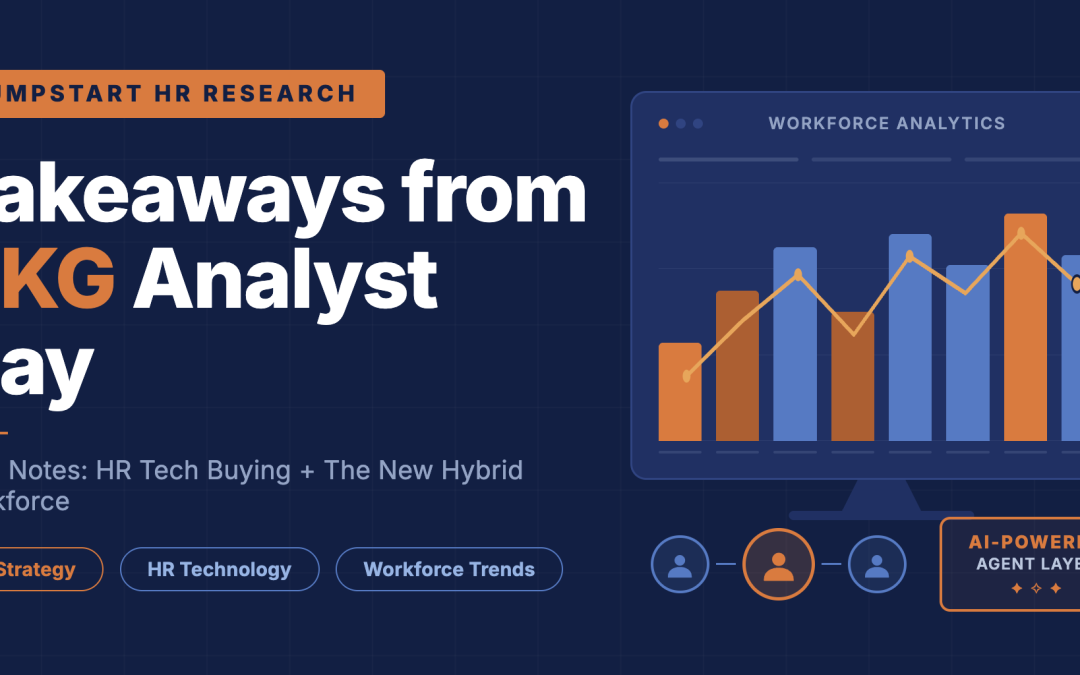
Signals from an exclusive room, and what they mean for the people who have to buy, run, and answer for HR technology.
UKG spent a day with analysts laying out where the company is headed, and I was in the room. I have followed this company closely for years, so I am not interested in recapping the agenda. What I want to do is share the news and the signals that caught my attention, the moments that tell you something real about where the workforce technology market is going and what it means for your next buying decision.
Three conversations stood out. One from Jennifer Morgan, CEO. One from Suresh Vittal, Chief Product Officer. And one from the team behind UKG Ready, the product built for less complex organizations under 1,500 employees. Each spoke to a different person in my audience, and each carried a signal worth acting on.
Before I get into them, a word on how I read announcements like these. At Jumpstart HR Research we study two things: how HR teams actually buy technology, and how organizations are absorbing AI into the workforce. The first has a framework we call B.R.I.D.G.E. It is the path from a stuck, overwhelmed buyer to a clear one. Here it is in full, because the rest of this read leans on it.
B.R.I.D.G.E.
The step
What it means
B
Business Problem
Define the real operational problem before you evaluate any vendor.
R
Requirements
Separate the must-haves from the nice-to-haves.
I
Internal Alignment
Align your stakeholders before the demos begin.
D
Decision Criteria
Create weighted evaluation criteria early.
G
Guided Vendor Review
Limit evaluation to three to five aligned vendors.
E
Execution Readiness
Assess implementation and adoption capacity before signing.
B.R.I.D.G.E., the Jumpstart HR Research framework for how HR teams buy technology. The order matters. Skipping a step is how buyers end up with shelfware.
The second framework, the one we use for the new hybrid workforce, is about how AI agents actually enter an organization. I will bring it in where it fits. For now, hold one idea: hybrid no longer means remote versus in-office. It means humans working alongside agents, and the question that matters is how deeply, and how governed.
Jennifer Morgan set the altitude, and two signals stood out
For your CEO and your board
Morgan’s job is vision, and she delivered it. Two signals inside her vision are the ones I would carry into a boardroom.
The first is how hard UKG is planting its flag with the frontline. The framing was direct: roughly 80 percent of the global workforce does not sit at a desk, and the other enterprise giants, ADP, SAP, Oracle, Workday, built their platforms for the other 20 percent. I have heard UKG tell a version of this for years. This was the most confident version yet, and it is now the spine of the entire company strategy. The signal for you is a gut check. If your workforce is hourly, shift-based, and on its feet, UKG is building directly for you. If your people are mostly salaried and on laptops, that same story is a sales position, not a market truth. Know which one you are before you let it shape your thinking.
The second signal was a “workforce problem inventory” so complete it is worth borrowing. Morgan walked through the operational complexity UKG solves for: fluctuating demand, last-minute call-outs, union rules, multi-state compliance, multi-currency pay, quiet quitting, the disconnect between managers and the frontline. It is one of the cleaner statements of the modern workforce problem I have seen a vendor make. Use it the way you would use any vendor’s problem list, as a mirror rather than a checklist. Walk through it, and circle only the three or four workforce problems that are costing you real money this year. Those become your Business Problem. The rest is noise dressed as urgency.
Her strongest move was a simple one: what we said last year, and what we delivered or the “say-do ratio”. UKG has been shipping, not just talking, and that earns the right to be taken seriously on the rest. For a buyer, this maps cleanly to the front of B.R.I.D.G.E.
B.R.I.D.G.E. step
What Morgan’s signal gives you
Business Problem
A ready-made problem inventory to use as a mirror, not your requirements.
Internal Alignment
The 80/20 framing forces the first alignment question: are we a frontline focused organization?
Guided Vendor Review
lear positioning against the enterprise giants tells you when UKG belongs on your shortlist and when it does not.
Suresh Vittal showed where the money and the risk actually live
For you, the HR and people leader
If there was one conversation to internalize, it was Vittal’s. The product roadmap is where vision turns into your invoice and your risk, and he was refreshingly clear about both.
The signal that matters most is how UKG is structuring its AI into three tiers, because that structure is your future cost model. Embedded AI is baked into the application and included in the price. AI-native assistants help a user finish a defined task and are priced per employee per month. Agentic products run a complex task end to end and will eventually be priced on usage and outcomes. I know Bryte well, so the embedded layer is familiar territory. What is new and important is UKG drawing a hard line between what you get for free, what you rent every month, and what will one day be metered by result. Read that ladder as a buyer. It is the shape of your spend for the next three years.
The second signal was the agent results UKG put forward: 50 percent fewer unfilled shifts, 88 percent shorter time to hire, 70 percent fewer HR tickets, 75 percent shorter payroll processing. Some of these agents are live today, others are still early access, and UKG was honest about which is which. The numbers are real claims worth respecting, but they are ceiling numbers. The buyer’s discipline is to ask for the median customer result and for two references your size who went live in the last six months. The distance between a vendor’s best case and your actual case is exactly where implementation projects quietly fail.
The deepest point Vittal made was about the moat. His argument is that any competitor can license the same underlying AI model, but none can license UKG’s two decades of punches, paychecks, and schedules. That is true, and it is the most credible thing said all day. But more data and better results for your specific company are not the same sentence. The moat only helps you if it is full of organizations that look like you. Make them prove the data density in your industry, your states, your size band.
This conversation is really about the workforce you are about to become. Here is the lens that fits.
The New Hybrid Workforce
Where Vittal’s roadmap takes you
The watch-out
The Augmented (everyone has a partner)
Embedded UKG Bryte, the help you do not have to ask for, woven into the workflow.
Shelfware. A long agent list is a long list of things to pay for and never adopt.
The Delegators (people direct small teams of agents)
Rubber-stamping. The day your team stops checking because the agent is usually right is the day compliance risk returns.
Two of the five workforce archetypes we track. UKG is building most directly for the Augmented and the Delegators.
The UKG Ready story named a market almost no one serves well
For the most overlooked leader in HR
This was the conversation my small business and lean-HR audience cannot afford to miss, because it was built for them, and almost no vendor builds for them.
The signal here is a market truth that does not get said often enough: organizations in the 75-to-1,500 employee band carry enterprise-grade complexity long before they have enterprise-scale teams. A 90-person multi-state manufacturer faces the same compliance exposure as a 500-person health system, but with a fraction of the HR capacity to handle it. UKG sized this as roughly a 13 billion dollar underserved market. If you live in this band, you feel this every day. Hearing a vendor state it this precisely, and then build for it deliberately, is the news.
The supporting signal was a clear-eyed segmentation of the small and midmarket space, the recognition that very small, small, and midmarket organizations are not one market but three, each with different compliance loads and platform needs. Use that to locate yourself honestly. Where you actually sit should decide how much platform you buy. It is the fastest way to stop yourself from purchasing enterprise architecture you will never grow into.
The proof point carried real weight. UKG customer Drake Waterfowl consolidated seven systems into one, accelerated payroll processing by over 97 percent, and pulled turnover down from a staggering 347 percent to double digits. That last number deserves a careful read. A 347 percent starting point tells you how broken things were before implementing UKG solutions, not how much improvement you should expect. Your result will track to how broken your own starting point is.
There was also an implementation claim worth flagging: go-lives up to 80 percent faster through AI-assisted configuration. For a lean team, faster implementation is real money. The phrase “up to” is still doing heavy lifting, so the move is to ask what the median customer actually experiences before you build a plan around it. This is Execution Readiness, the step most buyers skip and the one that decides whether any of this works.
B.R.I.D.G.E. step
What the UKG Ready signal gives you
Requirements
The segmentation helps you size what you actually need, so you buy depth, not overhead.
Decision Criteria
UKG customer, Drake Waterfowl’s results are criteria fuel, once you adjust for your own starting point.
Execution Readiness
The 80-percent-faster implementation claim is the headline. Test the median, not the ceiling.
What it all means
Pull the three conversations together and one picture forms, and it sits squarely on top of the two things we study.
On how HR teams buy: UKG built a day designed to be entered from the top, with vision and AI. You should enter from the bottom, with your business problem, and climb. Morgan handed you the problem inventory. Vittal handed you the cost ladder and the agent claims. The Ready team handed you the segmentation and the proof. Take them in the order of B.R.I.D.G.E., problem first, criteria next, readiness last, and you run the evaluation. Take them in the vendor’s order, and the vendor runs you.
On the new hybrid workforce: UKG is not talking about where people sit. Their entire bet is the human-plus-agent workforce, and they are betting it arrives through the system you already own rather than the tool an employee quietly downloads on their own. For most organizations the honest reality is a blend: augmented in operations, delegating in HR service delivery, and running a quiet, ungoverned free-for-all somewhere in marketing where someone is already using AI with no oversight. UKG can govern the first two beautifully. It does nothing about the third. Naming that split, and deciding to govern it on purpose, is your work. No vendor does it for you.
Every tool a team buys lands them in a workforce, and every workforce they want drives the next thing they buy.
That loop is the whole game, and UKG understands it as well as anyone in this market. The work on your side is not to be impressed by the day. It is to weigh the moat with clear eyes, separate what is free from what you rent from what you will one day be metered on, and decide which workforce you are actually trying to become. Then, and only then, sign.
Research Meets Reality. That has always been the whole point.
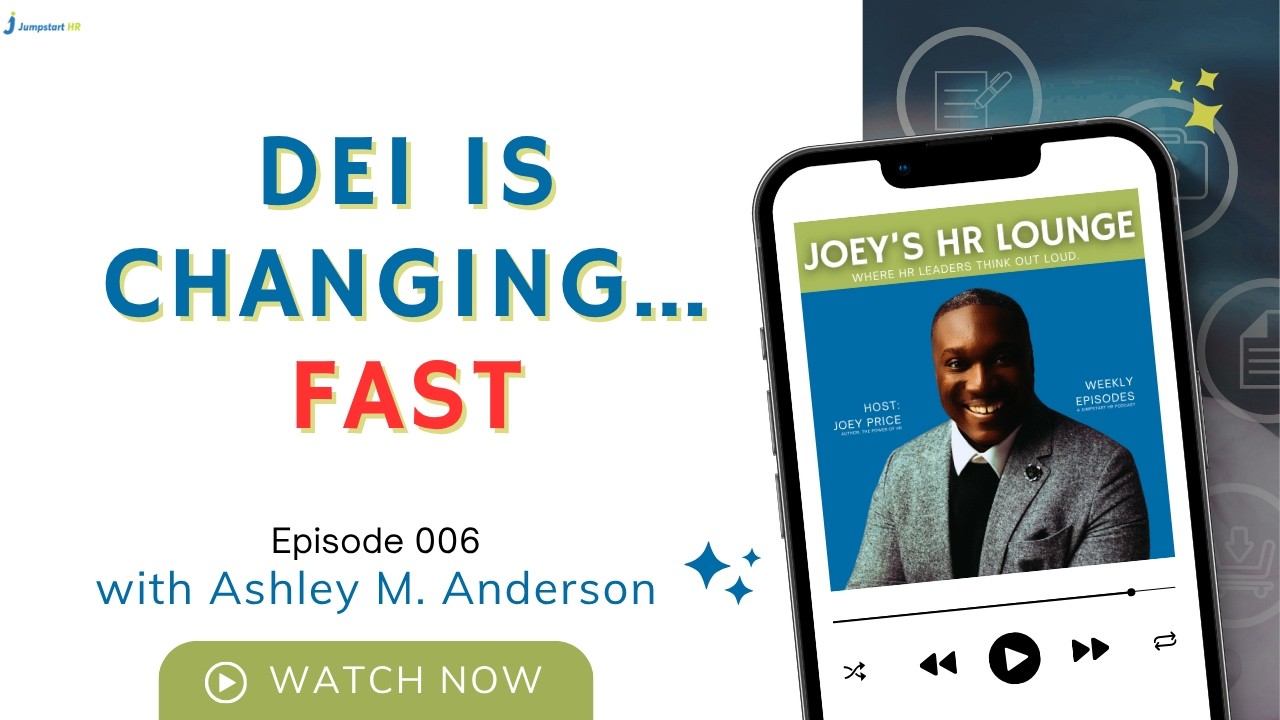
In this episode of Joey’s HR Lounge, Joey Price sits down with Ashley M. Anderson to unpack how diversity, equity, and inclusion efforts are evolving in today’s political and business climate. As organizations face increasing pressure, many HR leaders are being forced to rethink how DEI fits into strategy, compliance, and long-term business outcomes.
This conversation goes beyond surface-level talking points to explore what’s changing, what’s being rolled back, and what HR leaders need to do to stay credible and effective. From navigating political tension to aligning DEI with measurable business impact, Ashley shares a candid perspective on where the function stands today and where it’s headed next. If you’re an HR leader trying to balance people, performance, and pressure, this episode offers a timely and grounded perspective.
🔑 Topics Covered
– The current state of DEI in HR
– How political pressure is shaping workplace decisions
– Where HR may have overcorrected or underdelivered
– Making DEI sustainable and aligned with business strategy
DEI in HR, diversity equity inclusion, HR strategy, HR leadership, future of HR, workplace inclusion, HR trends 2026, organizational culture, HR podcast, Joey Price, Ashley Anderson HR, business strategy HR, DEI backlash, HR leadership development
Used to monitor number of Google Analytics server requests when using Google Tag Manager
1 minute
_gid
ID used to identify users for 24 hours after last activity
24 hours
_gac_
Contains information related to marketing campaigns of the user. These are shared with Google AdWords / Google Ads when the Google Ads and Google Analytics accounts are linked together.
90 days
_gali
Used by Google Analytics to determine which links on a page are being clicked
30 seconds
_ga
ID used to identify users
2 years
__utmx
Used to determine whether a user is included in an A / B or Multivariate test.
18 months
__utmv
Contains custom information set by the web developer via the _setCustomVar method in Google Analytics. This cookie is updated every time new data is sent to the Google Analytics server.
2 years after last activity
__utmz
Contains information about the traffic source or campaign that directed user to the website. The cookie is set when the GA.js javascript is loaded and updated when data is sent to the Google Anaytics server
6 months after last activity
__utmc
Used only with old Urchin versions of Google Analytics and not with GA.js. Was used to distinguish between new sessions and visits at the end of a session.
End of session (browser)
__utmb
Used to distinguish new sessions and visits. This cookie is set when the GA.js javascript library is loaded and there is no existing __utmb cookie. The cookie is updated every time data is sent to the Google Analytics server.
30 minutes after last activity
__utmt
Used to monitor number of Google Analytics server requests
10 minutes
__utma
ID used to identify users and sessions
2 years after last activity
SourceBuster is used by WooCommerce for order attribution based on user source.
Name
Description
Duration
sbjs_migrations
Technical data to help with migrations between different versions of the tracking feature
session
sbjs_current_add
Timestamp, referring URL, and entry page for your visitor’s current visit to your store
session
sbjs_first_add
Timestamp, referring URL, and entry page for your visitor’s first visit to your store (only applicable if the visitor returns before the session expires)
session
sbjs_current
Traffic origin information for the visitor’s current visit to your store
session
sbjs_first
Traffic origin information for the visitor’s first visit to your store (only applicable if the visitor returns before the session expires)
session
sbjs_udata
Information about the visitor’s user agent, such as IP, the browser, and the device type
session
sbjs_session
The number of page views in this session and the current page path
30 minutes
Marketing cookies are used to follow visitors to websites. The intention is to show ads that are relevant and engaging to the individual user.
Facebook Pixel is a web analytics service that tracks and reports website traffic.
This cookie is used to play YouTube videos embedded on the website.
2 years
DEVICE_INFO
Used to detect if the visitor has accepted the marketing category in the cookie banner. This cookie is necessary for GDPR-compliance of the website.
179 days
YSC
Registers a unique ID to keep statistics of what videos from YouTube the user has seen.
Session
PREF
This cookie stores your preferences and other information, in particular preferred language, how many search results you wish to be shown on your page, and whether or not you wish to have Google’s SafeSearch filter turned on.
10 years from set/ update
VISITOR_INFO1_LIVE
Tries to estimate the users' bandwidth on pages with integrated YouTube videos. Also used for marketing
179 days
GPS
Registers a unique ID on mobile devices to enable tracking based on geographical GPS location.