Most HR leaders don’t need more content—you need clarity. You need real talk, real-world playbooks, and a place where people actually get what you’re carrying.
What if your next biggest HR win came from one conversation instead of another compliance spiral?
Today, Jumpstart HR officially launches Joey’s HR Lounge—a podcast and community built to be the home for HR innovators and small business owners who want to run people-first, compliance-smart teams without burning out.
“If HR feels lonely right now, you’re not doing it wrong—you just need the right room.”
Press Release + The Real Story: Why We Built Joey’s HR Lounge
HR is a lot. If you’re leading people at a growing business, you’re juggling compliance, hiring, performance, and culture—some of you without a dedicated HR department and definitely without extra hours in the day.
Here’s the thing: the best HR work doesn’t happen in a policy doc. It happens in the conversations you have when you’re trying to make a tough call and you need a second brain.
That’s the story behind Joey’s HR Lounge. Jumpstart HR created it as a practical, people-first space where you can:
Listen to short, high-signal conversations with HR leaders, operators, and innovators
Learn what’s changing (laws, tech, expectations) without the doom-scrolling
Join a community where you can ask questions and get unstuck—fast
“The right community turns HR from a constant pressure into steady confidence.”
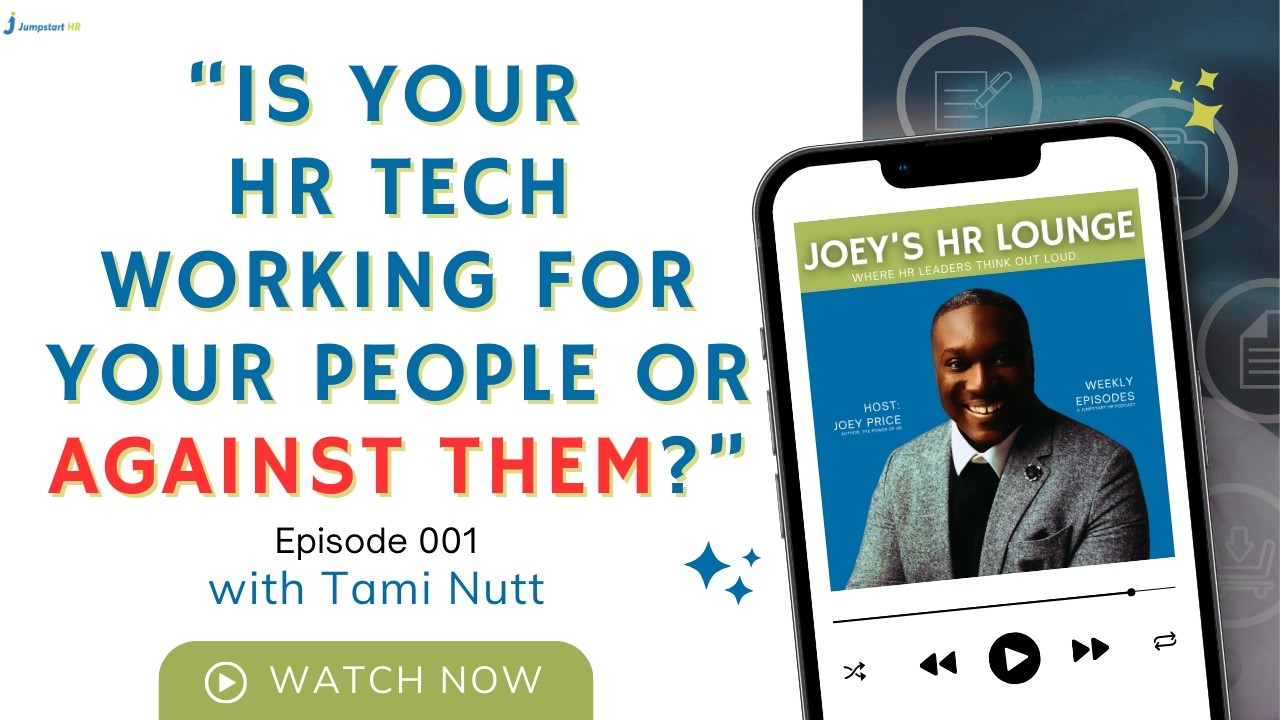
Episode 001 (Launch Episode): Featuring Tami Nutt
We’re kicking things off with Episode 001—and it’s built for the exact moment HR is in right now.
In Episode 001, Joey sits down with Tami Nutt to talk about how compliance, technology, and real-world operations are colliding—and what HR innovators and small business owners should do next.
We get into:
How modern HR teams are shifting from reactive compliance to proactive risk prevention
What “compliance tech” actually means in practice (and where it breaks)
The early wins small businesses can capture faster than big companies
“Compliance doesn’t have to slow you down—it can be the system that keeps growth safe.”
Are You Leading with People or Paperwork?
Let’s face it: the old way of doing things is dead. The “Paperwork HR” era: where we were just the “Department of No”: is being replaced by “People-First Innovation.”
When we talk about HR tech, we’re really talking about freedom. Freedom from manual data entry. Freedom from worrying if you missed a state-specific tax update. Freedom to actually be the leader your team needs.
As a Top 100 HR Tech Influencer, I’ve seen how technology can either empower a workforce or stifle it. If your current systems feel like a ball and chain, it’s time to re-evaluate.
The Difference Technology Makes
With Modern HR Tech: You receive automated alerts for compliance changes, your team can self-serve their benefits, and you have real-time data on employee engagement.
Without Modern HR Tech: You’re manually tracking expiration dates in Excel, fielding 50 emails a day about “where is my paystub,” and making hiring decisions based on “gut feeling” rather than data.
It’s time to work smarter, faster, and fairer.
3 Steps to Audit Your HR Tech Today
You don’t need to replace your entire tech stack overnight. Start small, win big. Here is how you can begin auditing your current systems to see if they are truly “Lounge-approved”:
Identify the Friction: Ask your team, “What is the one thing you hate doing in our current HR system?” If everyone says “logging time” or “requesting PTO,” that’s your first target for innovation.
Prioritize Integration: Does your payroll talk to your performance management? Does your ATS talk to your onboarding? If your tools don’t talk to each other, you’re the one doing the heavy lifting.
Subscribe + Join: Your Fastest Way to Stay Ahead (Without Doing More)
Joey’s HR Lounge isn’t just a podcast feed—it’s a home base for the people building what’s next in HR.
If you’re an HR innovator, founder, manager, or small business owner trying to make smart people decisions under real pressure, this is for you.
Practical answers you can apply this week (not “someday”)
Real-world perspectives from HR tech and HR ops leaders
A place to talk shop—without the posturing
“Your next breakthrough isn’t another tool—it’s a better conversation.”
How Jumpstart HR Supports Your Journey
At Jumpstart HR, we’ve always believed in meeting you where you are. Whether that’s through our HR Answers service for quick wins or our deep-dive consulting into remote team engagement, we are here to provide flexible solutions.
The Lounge is the next evolution of that support. By bringing together experts like Tami Nutt and the collective wisdom of our community, we’re making high-level HR strategy accessible to every startup and small business.
You don’t need a Fortune 500 budget to have Fortune 500 HR. You just need the right community.
Your Invitation (Official): Joey’s HR Lounge Is Open
The Lounge is live. The first episode is out. And the best part? You don’t need to “catch up” before you belong here.
👉 Listen to Episode 001: Start with the Tami Nutt conversation (and drop your biggest question in the community)
Don’t worry: you don’t need perfect processes or a Fortune 500 budget to build a people-first workplace. You just need the right support, the right signal, and a place that keeps it real.
“Start small, stay consistent, and you’ll build HR that actually scales.”
You’ve probably heard the rumors, but as of today, February 26, 2026, it’s official: the Department of Labor (DOL) just shifted the goalposts on how we define “who works for whom.” If you sell HR technology—HRIS, payroll, contractor management, workforce platforms—your roadmap just got a lot more interesting.
Let’s face it: the line between an independent contractor and an employee has always been a bit blurry, especially when your customers are moving fast and managers are improvising. But this new proposed rule aims to clear the fog by returning to a streamlined “economic reality” test.
What if your product could help customers navigate these compliance shifts—without the constant fear of a misclassification lawsuit?
Good news: you don’t need to be a labor attorney to lead here. You just need to understand the new rules of the game—and build clear guardrails, smarter workflows, and better documentation into your platform. No jargon. No fear.
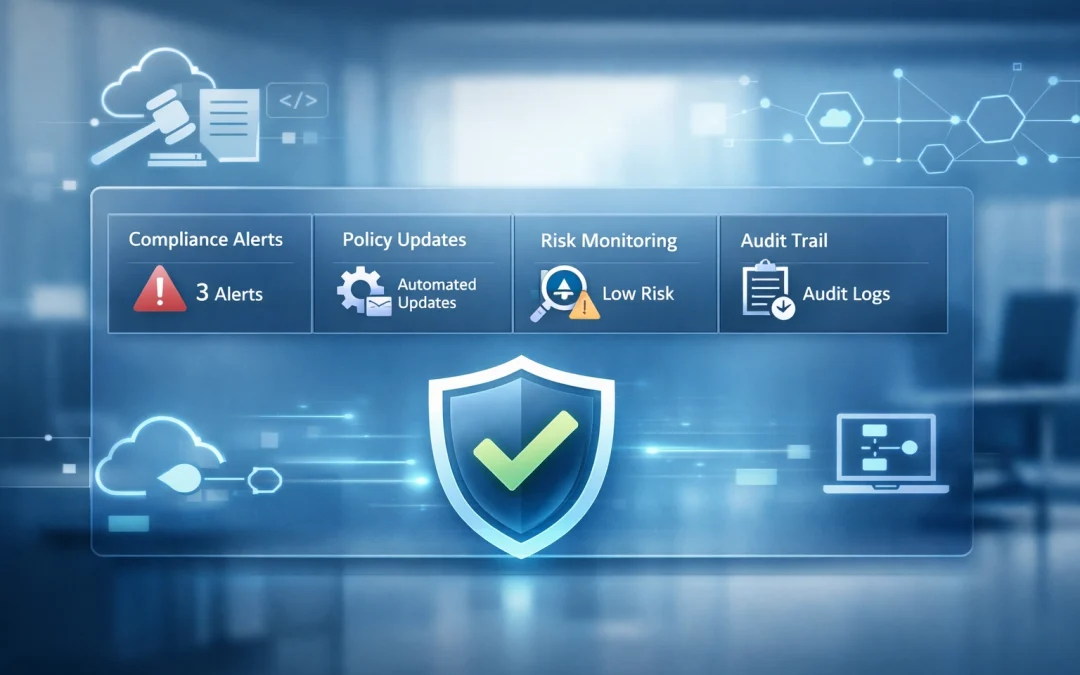
Here’s the thing: as our VP of Research & Insights, Tami Nutt, puts it, “Compliance is my love language.” And she’s right to push that energy into product: HR tech is essential for keeping up with changing laws because it can automate policy updates, standardize workflows, and monitor risk signals before they turn into expensive surprises.
The DOL is essentially hitting the “reset” button. This new proposal moves away from the more complex 2024 framework and returns to a streamlined analysis similar to the 2021 standards. The core of the issue? The economic reality of the relationship.
The DOL wants to know one thing: is the worker truly in business for themselves, or are they economically dependent on your company? To figure this out, they are leaning heavily on two core factors:
The Nature and Degree of Control: Does the worker set their own hours? Do they use their own tools? Or are you managing them like a traditional W-2 employee?
Opportunity for Profit or Loss: Can the worker make more money through their own initiative and investment, or is their income capped by the tasks you assign?
Other factors, like the permanence of the relationship and the level of skill required, still matter, but they are no longer the stars of the show. The “Actual Practice” of the work is now the gold standard.
“Compliance isn’t about the contract you signed; it’s about the daily reality of how work gets done.”
The Technology Take: What Your Buyers Will Expect From Vendors Now
For your customers, this change is a double-edged sword. On one hand, the “economic reality” test offers more flexibility. If they’re engaging a specialist for a specific project—and that person truly runs an independent business—they’ll have a stronger case for contractor status.
On the other hand, the burden of proof has shifted. Your buyers can’t just slap an “Independent Contractor Agreement” into a folder and call it a day. Documentation is now the lifeline—and they’ll look to your platform to make it easy.
Think of your product like Iron Man’s suit. Your customer is the pilot (the HR leader or ops owner), but the suit (your software) has to provide the data and protection to help them fly straight. If your system isn’t capturing signals of day-to-day control—schedule assignments, required check-ins, manager directives—your customer is flying blind.
Here’s the nuance you can’t ignore: even if the federal government gives a green light, states like California and New Jersey still have stricter tests. Your platform needs to be location-aware—and smart enough to flag risk based on where the worker is sitting.
Why This Is a Product Moment for HR Technology Vendors
If you’re a vendor in the HR tech space, this isn’t just a regulatory update—it’s a massive market signal. The landscape for labor compliance is shifting from “static” to “dynamic.”
Your buyers are no longer looking for a digital filing cabinet for their 1099 contracts. They’re looking for a compass. Vendors who treat this as a “legal problem” rather than a “product opportunity” will get outpaced.
Here is why you need to pay attention:
The risk has mapped to the user experience: If your platform makes it too easy for managers to treat a contractor like an employee (rigid scheduling, performance reviews, mandatory daily standups), you can accidentally create compliance liability for your customer.
The demand is for guardrails, not PDFs: Buyers want workflows that guide behavior—prompts, warnings, approvals, and audit trails that surface risk before the DOL does.
The integration gap is now a revenue gap: Compliance requires a fuller picture—work location, tenure patterns, control signals, and “in business for themselves” indicators. Vendors that can connect the dots (without creepy surveillance) will win deals.
“If your product shapes behavior, it shapes compliance.”
The Opportunity: Innovation That Strengthens Outcomes
Every time the DOL “flips the script,” a new door opens for innovation. This rule change is a golden opportunity for HR tech vendors to move from being a “cost center” to a “value creator.”
Imagine a world where your HR software doesn’t just store a contract, but actively monitors the health of the contractor relationship. We are seeing a move toward:
Automated Compliance Checks: AI-driven tools that analyze contracts against the latest DOL and state-level standards in real-time.
Behavioral Data Analysis: Systems that look at “actual practice.” If a manager is sending “urgent” Slack messages to a contractor at 8:00 AM every day, the system should gently nudge the manager: “Hey, this looks like employee-level control. Are we sure they’re still a contractor?”
The “Entrepreneurial Scorecard”: Tools that help contractors document their own business health (insurance, other clients, investments), which in turn protects the company hiring them.
This kind of innovation doesn’t just prevent lawsuits; it strengthens trust between your platform and your customers. It keeps their teams moving fast—without crossing lines they didn’t even realize they were crossing.
As Tami Nutt frames it: when laws change, buyers don’t want to re-train every manager from scratch. They want their HR tech to push policy updates automatically and continuously monitor risk—so compliance doesn’t rely on perfect human memory.
“The best HR tech makes compliance feel automatic—because the rules update, and the risks surface, without anyone chasing spreadsheets.”
3 Steps to Turn the 2026 Rule Into a Vendor Advantage
You don’t have to overhaul your product overnight. Start small, win big. Here’s a 3-step plan to stay ahead of the DOL’s latest move—and help your buyers do the same:
1. Surface Risk in the Workflow Don’t wait for customers to “figure it out.” Identify the moments where misclassification happens—assignment setup, scheduling, approvals, performance feedback, time tracking—and add lightweight guardrails (prompts, warnings, required fields). You’ll reduce risk and support adoption because you’re meeting managers where they work.
2. Build Evidence, Not Just Documents Contracts matter, but the DOL cares about actual practice. Add audit-friendly artifacts: role-based approvals, change logs, policy acknowledgements, and relationship “health checks” that can be exported in minutes. Your customer gains confidence—and you reduce escalations when legal gets involved.
3. Make Compliance Local and Comparable Multi-state reality is the default now. Add worker-location awareness, state-specific rule flags, and a consistent way to compare engagements against the “economic reality” factors. Your customer gets clarity, and you get a clear story for sales: we help you operate everywhere without guessing.
The DOL’s 60-day public comment period ends on April 28, 2026. That’s your window to adjust messaging, roadmap, and enablement before buyers start asking tougher questions—and before your competitors position themselves as the “compliance-forward” option.
The shift toward a more flexible, reality-based test is a win for modern work. But flexibility requires responsibility. The vendors who help customers operationalize that responsibility—through better UX, smarter guardrails, and exportable evidence—turn compliance from a headache into a competitive advantage.
This isn’t about building legal advice into software. It’s about building systems that help people do the right thing by default.
“AI isn’t here to take your job — it’s here to help you do your job better.”
AI for HR Leaders is no longer a future idea. It’s here. And HR leaders like you are starting to feel the pressure to use it, understand it, or at least talk about it with confidence. But where do you begin?
Whether you’re a tech-savvy HR director or a one-person HR department juggling payroll and performance reviews, this guide will help you take your first confident step into the world of AI for HR. No jargon. No fear. Just real, practical advice — written for the real world of work.
Why HR Needs AI Now
Let’s face it: today’s HR leaders are expected to do more with less. From hiring and onboarding to labor law compliance and employee morale, your to-do list keeps growing. AI can help. And here’s how:
Automate repetitive tasks
Make faster, data-driven decisions
Personalize employee experiences at scale
Or, in simple terms: AI for HR Leaders helps you work smarter, faster, and fairer.
“Think of AI like an Iron Man suit for your HR team — you’re still in control, just stronger and faster.”
Three Big Promises of AI for HR Leaders
Before diving into tools or tech, start with understanding what AI actually delivers. Here are the three major benefits to expect:
1. Do More With Less
AI reduces the time you spend on low-value tasks like resume screening or scheduling meetings. This gives you more time to focus on strategic work that helps your team grow and thrive.
2. Decide Quickly With Data
AI reads large amounts of data fast. Whether it’s turnover trends, payroll errors, or employee surveys, it helps you make decisions faster and more confidently.
3. Personalize at Scale
AI creates unique experiences for each employee. From personalized onboarding checklists to tailored learning paths, your team gets what they need—without the heavy lifting from you.
“Netflix didn’t beat Blockbuster with more movies. They won by knowing what people wanted. That’s the power of personalization.”
Step-by-Step: How to Start Using AI in HR
If you’re wondering how do I even begin?, don’t worry. Here’s a simple three-step roadmap we use at Aspect43 to help HR teams like yours become AI-ready.
Step 1: Surface Your Bottlenecks
Ask yourself: “Where am I losing the most time or energy?” Talk to your team. Look for:
Delays in hiring
Payroll errors
Burnout from repetitive tasks
Compliance risks
This helps you focus your AI journey on what actually matters.
Step 2: Score Your Use Cases
Once you’ve found your bottlenecks, rate them based on:
Impact (How much it will help?)
Risk (What’s the chance of it going wrong?)
Effort (How hard is it to fix?)
Start with low-risk, high-impact areas. These are your best bets for early wins.
Step 3: Run a Pilot
Try a small test. Maybe it’s a free chatbot trial. Or turning on automation in your payroll system. Set clear goals and track results. This builds trust and gives you data to share with leadership.
“Start small. Win big. Use pilots to test what works — and ditch what doesn’t.”
The Power of AI For HR Leaders (What AI Can Do Right Now)
Here’s a breakdown of how AI can help you across common HR functions — and what you might be missing if you’re not using it yet.
Recruitment & Retention
AI speeds up resume screening by up to 70%.
Tools can predict turnover based on employee behavior.
AI writes job ads tailored to candidate interests.
Without AI:
Manual screening takes hours.
Turnover surprises you.
Job ads feel generic and miss top talent.
Payroll Processing
AI finds paycheck errors fast.
Sends reminders for missed time entries.
Flags tax mistakes, like the wrong state withholding.
Without AI:
You may miss critical errors.
Managers forget approvals.
You rely on memory for tax rules.
Labor Compliance
AI keeps up with changing laws across states.
Auto-flags I-9 issues and policy risks.
Applies the right rules by job and location.
Without AI:
Risk of legal trouble and fines.
Missed updates due to staff shortages.
Generic policies create blind spots.
Employee Morale
Auto-send pulse surveys every month.
Use sentiment analysis to catch issues early.
Give feedback that fits each employee’s style.
Without AI:
Low engagement goes unnoticed.
Feedback is vague or inconsistent.
Burnout spreads quietly.
Onboarding
Automates checklists and welcome emails.
Sends equipment and training materials.
Tracks where new hires drop off.
Without AI:
Missed steps leave new hires confused.
Delays affect first impressions.
You can’t see why people quit early.
Scheduling & Overtime
Builds smart shift schedules.
Flags overtime spikes and coverage gaps.
Matches shifts to employee preferences.
Without AI:
Managers scramble to fill shifts.
Overtime budgets blow up.
Burnout increases.
Other Smart Uses
Chatbots answer HR questions instantly.
Learning paths guide employees based on goals.
Tracks trends in absenteeism and performance.
“AI doesn’t replace people — it amplifies them. HR leaders become more strategic, more proactive, and more human.”
Smart Tips for Safe AI Use in HR
AI is powerful, but it’s not perfect. Here are a few safety tips:
Don’t upload private employee info to public tools. Use internal tools or turn off data sharing settings.
Always double-check legal info. AI can help with compliance, but it’s still learning. If a prompt gives you a policy, verify it before using it.
Keep it ethical. AI should support fairness and equity, not reinforce bias. Always review decisions involving hiring, promotion, or discipline.
What Tools Should I Use?
Good news: you may already have AI tools in your current HR software. Most modern systems — like applicant tracking, payroll, or performance management platforms — offer AI features you can turn on today.
Instead of buying something new, ask your vendor:
“Can our system screen resumes using AI?”
“Can it predict employee turnover?”
“Can it recommend training paths for each role?”
“You don’t need a big budget to start with AI. You just need big curiosity.”
Free Resource: HR Technology Buyer’s Guide
To help you choose the right tools — or get more from the ones you have — download our HR Technology Buyer’s Guide from Aspect43. It includes:
A self-assessment to map your current tools
A checklist to ask vendors before you buy
Insights from hundreds of HR leaders on what’s working (and what’s not)
Final Thoughts on AI for HR Leaders: It’s a Journey, Not a Switch
AI is changing the game for HR — but you don’t need to master it overnight. Start with your biggest pain point. Ask good questions. Try a pilot. And remember: this isn’t about robots replacing people.
It’s about HR leaders using smart tools to make people-first decisions — better and faster.
“You don’t have to be an AI expert to get value from it. You just have to get started.”
If this article helped you or sparked an idea, share it on LinkedIn and tag your team. The future of AI for HR Leaders is already here — and you’ve got this.
Are you struggling to keep your remote employees engaged and connected—and wondering if it’s starting to cost your business? Need tips to improve your remote work team engagement?
You’re not alone. Many small business owners offer remote work to tap into top-tier talent from anywhere in the country. Maybe you found a rockstar graphic designer in Denver, a social media whiz in Charlotte, or a customer service pro in Phoenix. But while the flexibility of remote work is a competitive advantage, it comes with a serious challenge: maintaining a strong, connected culture when your team is spread out and screen-bound.
The Unique Challenge for Small Businesses
Unlike larger companies with internal HR departments or dedicated employee experience managers, small businesses often make do with limited resources. There’s rarely someone solely responsible for employee engagement, performance management, or morale.
And when remote employees feel disconnected, their productivity, loyalty, and overall effectiveness can quickly decline.
The Hidden Costs of Disengagement
Disengaged employees don’t just “check out” quietly—they quietly cost your business.
You might notice:
Missed deadlines or a lack of urgency in projects
Quiet Zoom calls where no one volunteers ideas
Higher turnover or “quiet quitting” from once-reliable team members
A growing feeling that your once-collaborative culture is slipping away
These aren’t just people problems—they’re business problems. According to research from Aspect43, companies with low engagement suffer from reduced productivity, poor collaboration, and increased burnout.
Want to help us better understand how small businesses like yours are navigating these challenges? Take our quick Insights@Work Survey to shape the future of the modern work experience.
There’s Hope: 5 Smart Ways to Reconnect Your Remote Team
Below are five actionable strategies to help your remote team stay engaged, motivated, and aligned with your business goals.
1. Create a Weekly Ritual That Builds Belonging
Whether it’s a Monday morning check-in or a Friday wins-and-gratitude call, rituals create rhythm and help teams feel like they’re part of something bigger. At Jumpstart HR, we have a mid-week gathering where there’s no agenda and it’s meant for socializing and chit-chat.
Next Step: Schedule a 30-minute “Team Huddle” once a week. Include icebreakers, wins, upcoming priorities, and shout-outs. Rotate who leads the meeting to encourage ownership and participation.
2. Make Recognition a Weekly Habit, Not an Annual Event
Remote employees often miss out on spontaneous praise that happens in office hallways. Recognition builds strong culture and motivates performance.
Next Step: Create a Slack channel or recurring email where you recognize wins each week. Keep praise specific, timely, and values-aligned. If you’re wondering what tools to use, check out our latest research on Talent Experience.
Stay ahead of trends and best practices with research from our HR Tech Analyst division, Aspect43.
3. Invest in Career Conversations, Not Just Performance Reviews
One major reason employees disengage? They don’t see a future at your company. Remote environments can intensify this feeling.
Next Step: Hold quarterly “Stay Conversations” with your team. Ask about goals, challenges, and how you can support their growth. Need a framework? Our Prepaid HR Consulting Package can help you build meaningful structures for talent development.
4. Build Culture Through Communication, Not Just Tasks
A team that only talks about deliverables doesn’t build trust. Informal communication sparks collaboration and boosts morale. We use Monday.com internally for clear project communication amongst clients and team members.
Next Step: Start a “virtual watercooler” space—maybe a Slack channel for pet pics or a monthly “Coffee Roulette” pairing random teammates for a 15-minute chat. See how these remote team engagement tips are working for your company by asking follow up questions over time.
5. Clarify Goals and Accountability—Then Give Flexibility
Remote teams perform best when they know what success looks like. Ambiguity and micromanagement lead to frustration.
Next Step: Use frameworks like OKRs or SMART goals. Hold weekly check-ins and empower employees with autonomy. Let outcomes, not hours, drive performance.
The ROI of Remote Engagement
If you’re reading this, you already value your people. They’re the heart of your company and the future of your brand. A connected, engaged team doesn’t just feel good—it drives results.
Want help putting these ideas into action? Our Prepaid HR Consulting Package gives you expert support to address employee engagement, performance management, and more. It’s flexible, affordable, and designed specifically for small businesses.
Want Even More Insights?
Pick up a copy of my new book The Power of HR—a practical guide for business leaders looking to boost their impact through people strategy. You’ll learn from real-world examples and get proven frameworks to build a people-first company, even without a full-time HR team. It’s also packed with remote team engagement tips on topics like recruitment, people analytics and personnel management.
Let’s Talk About Your Team
Book your free 15-minute consultation with our team today and discover how Jumpstart HR can help you improve team connection and performance. 👉 Schedule here
Help Us Help You (and Other Small Businesses)
Want to help create better workplaces for everyone? Take 3 minutes to complete our Insights@Work Survey from our research division, Aspect43. Your anonymous responses will help shape the future of remote work and employee engagement.
Talent & Tech: Embracing Collaboration with AI for Workplace Success
Have you ever wondered about the future of your job in the era of Artificial Intelligence (AI)? Is Collaboration with AI a possibility for most workers across the globe?
Join Joey Price, founder of Jumpstart, a national HR consulting firm, as he navigates the potential impact of AI on work and life. First, Joey raises a critical question: Could AI jeopardize our jobs and limit our children’s ability to find fulfilling careers? Secondly, through personal anecdotes, he sheds light on the transformative influence of AI, and underscores the ethical considerations surrounding AI. Finally urging the audience to envision a future where AI is an ally, not a threat, creating workplaces that inspire excitement.
In a compelling call to action, Joey advocates for the responsible development of AI, ensuring it enhances human potential and prioritizes the well-being of workers in this new era. Join Joey Price on this captivating exploration of AI’s role in reshaping our work and lives.
Joey V. Price is an award-winning Human Resources Executive, thought leader, and the Founder and CEO of Jumpstart:HR. The company offers HR outsourcing and consulting for startups and small businesses. Joey also co-hosts the “While We Were Working” weekly podcast for leaders in the workplace who wish to be better at handling people’s issues. A seasoned HR professional with hands-on experience in multiple organizations, Joey advocates for businesses to translate their goal into high ROI through happily engaged staff members. He also serves on the Advisory Board for the HR Department at the Forbes School of Business and Technology, the UKG Workforce Institute, and the Ethics in AI Board at Arena Analytics. This talk was given at a TEDx event using the TED conference format but independently organized by a local community. Learn more at https://www.ted.com/tedx
Welcome to another insightful episode of the “While We Were Working” HR podcast! In this episode, we delve into the latest developments surrounding the PUMP Act and the question of whether Form I-9’s need to be completed in person. Join our expert panel as we discuss the implications of these new requirements and their impact on employers and employees alike.
Timestamps:
00:00 – Introduction
01:59 – Understanding the PUMP Act: Exploring its new requirements (While We Were Working Segment)
15:04 – Form I-9: In-person completion or remote alternatives? (Consultant’s Corner Segment)
Episode Details:
In this engaging HR podcast episode, our knowledgeable hosts dive deep into the intricacies of the PUMP Act, shedding light on the updated requirements that organizations need to be aware of.
We analyze the key aspects of the legislation and explore its potential implications on businesses, employee rights, and compliance obligations.
Form I-9, a crucial document for verifying employment eligibility, has traditionally required in-person completion. However, in light of evolving workplace dynamics and the impact of the COVID-19 pandemic, we examine whether digital alternatives and remote completion options can be considered viable alternatives.
We discuss the benefits and challenges associated with these approaches and provide practical insights for employers navigating this changing landscape.
As we unravel the complexities surrounding the PUMP Act and Form I-9 requirements, our expert panel offers valuable perspectives and actionable advice.
Gain insights into compliance considerations, best practices, and the potential consequences of non-compliance.
Whether you are an employer, HR professional, or an employee seeking clarity on these matters, this episode equips you with the knowledge needed to adapt and comply with the new regulations.
Tune in to the “While We Were Working” podcast and join the conversation surrounding the PUMP Act and the evolving landscape of Form I-9 completion.
Stay informed, make informed decisions, and ensure compliance in this ever-changing world of employment regulations with our weekly HR podcast.
Don’t forget to like, subscribe, and share this episode with others who may find this information valuable. Stay tuned for more engaging discussions on the “While We Were Working” podcast!
Do you need to outfit a room at your office for PUMP Act compliance? Check out this chair and more from Amazon.com
Used to monitor number of Google Analytics server requests when using Google Tag Manager
1 minute
_gid
ID used to identify users for 24 hours after last activity
24 hours
_gac_
Contains information related to marketing campaigns of the user. These are shared with Google AdWords / Google Ads when the Google Ads and Google Analytics accounts are linked together.
90 days
_gali
Used by Google Analytics to determine which links on a page are being clicked
30 seconds
_ga
ID used to identify users
2 years
__utmx
Used to determine whether a user is included in an A / B or Multivariate test.
18 months
__utmv
Contains custom information set by the web developer via the _setCustomVar method in Google Analytics. This cookie is updated every time new data is sent to the Google Analytics server.
2 years after last activity
__utmz
Contains information about the traffic source or campaign that directed user to the website. The cookie is set when the GA.js javascript is loaded and updated when data is sent to the Google Anaytics server
6 months after last activity
__utmc
Used only with old Urchin versions of Google Analytics and not with GA.js. Was used to distinguish between new sessions and visits at the end of a session.
End of session (browser)
__utmb
Used to distinguish new sessions and visits. This cookie is set when the GA.js javascript library is loaded and there is no existing __utmb cookie. The cookie is updated every time data is sent to the Google Analytics server.
30 minutes after last activity
__utmt
Used to monitor number of Google Analytics server requests
10 minutes
__utma
ID used to identify users and sessions
2 years after last activity
SourceBuster is used by WooCommerce for order attribution based on user source.
Name
Description
Duration
sbjs_migrations
Technical data to help with migrations between different versions of the tracking feature
session
sbjs_current_add
Timestamp, referring URL, and entry page for your visitor’s current visit to your store
session
sbjs_first_add
Timestamp, referring URL, and entry page for your visitor’s first visit to your store (only applicable if the visitor returns before the session expires)
session
sbjs_current
Traffic origin information for the visitor’s current visit to your store
session
sbjs_first
Traffic origin information for the visitor’s first visit to your store (only applicable if the visitor returns before the session expires)
session
sbjs_udata
Information about the visitor’s user agent, such as IP, the browser, and the device type
session
sbjs_session
The number of page views in this session and the current page path
30 minutes
Marketing cookies are used to follow visitors to websites. The intention is to show ads that are relevant and engaging to the individual user.
Facebook Pixel is a web analytics service that tracks and reports website traffic.
This cookie is used to play YouTube videos embedded on the website.
2 years
DEVICE_INFO
Used to detect if the visitor has accepted the marketing category in the cookie banner. This cookie is necessary for GDPR-compliance of the website.
179 days
YSC
Registers a unique ID to keep statistics of what videos from YouTube the user has seen.
Session
PREF
This cookie stores your preferences and other information, in particular preferred language, how many search results you wish to be shown on your page, and whether or not you wish to have Google’s SafeSearch filter turned on.
10 years from set/ update
VISITOR_INFO1_LIVE
Tries to estimate the users' bandwidth on pages with integrated YouTube videos. Also used for marketing
179 days
GPS
Registers a unique ID on mobile devices to enable tracking based on geographical GPS location.